5 min read · Quick tutorial · Last updated 14 May 2026
Part of Learn Claude Code: The Complete Operator's Guide. For the operator's overview of Skills, Connectors, Cowork, and Artifacts, start there.
You read What is a Claude Skill. You got excited about building one. Now you have a list of 12 skill candidates and zero time.
Stop. Before you build anything, check what is already built.
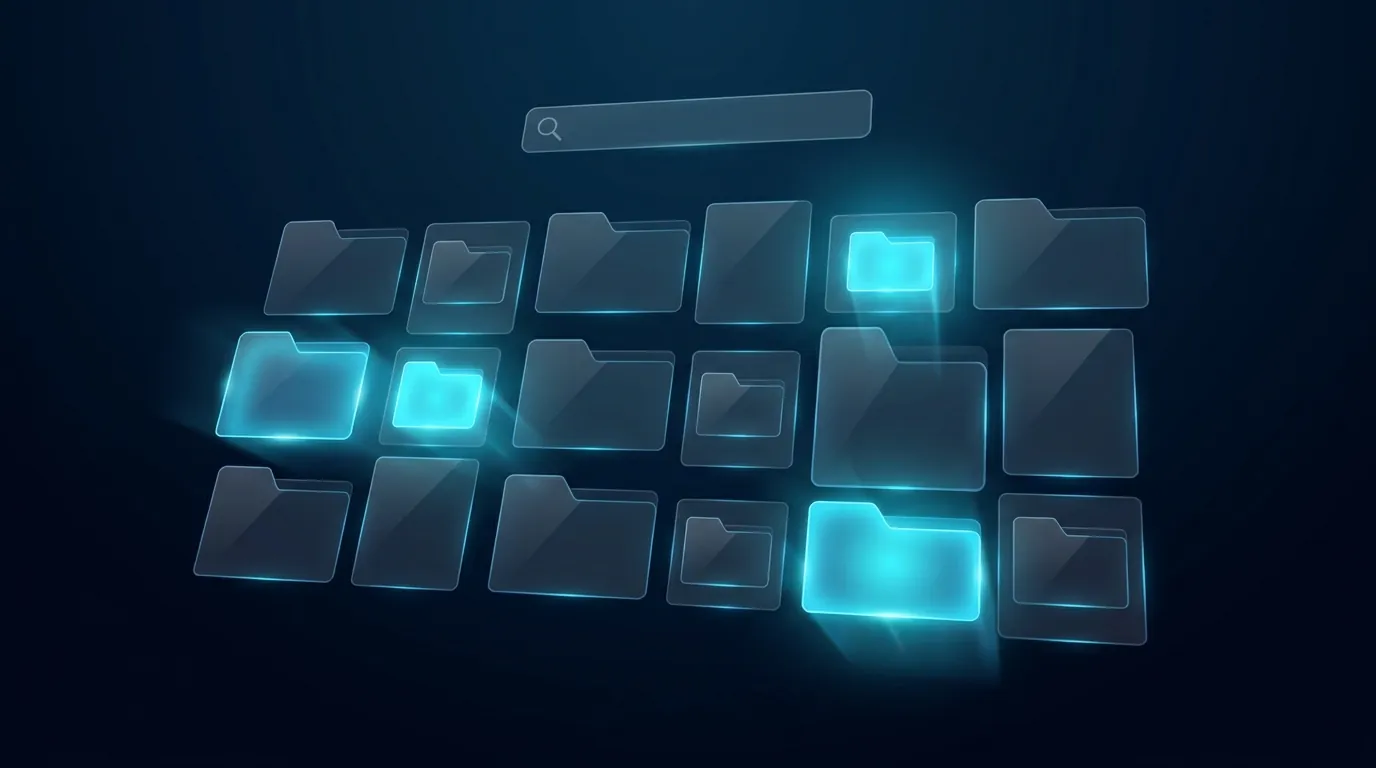
Anthropic ships an in-app directory of skills, connectors, and plugins right inside Claude Desktop. Most people never open it. They build the same thing from scratch in a worse version.
This is the 60-second flow to find one that already works.
When you should open the directory
Three signals tell you to browse before you build:
In all three cases, browse first. Build second.
How to open the directory
1. Open Claude Desktop
You click the + button next to the Skills section in the sidebar. A small menu drops down with two options.
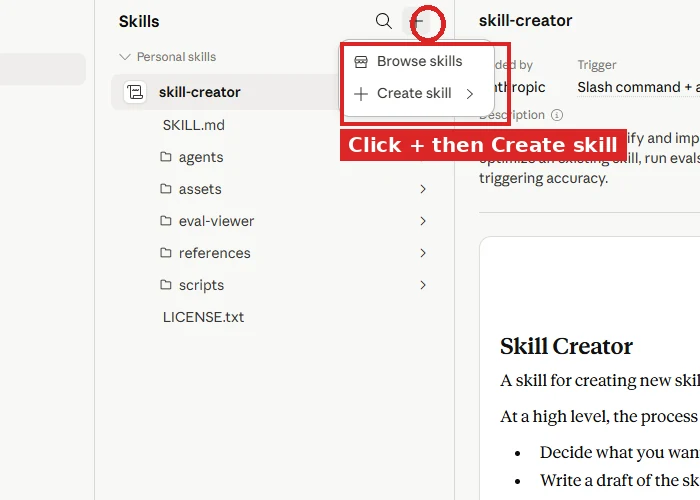
2. Click "Browse skills"
The directory opens. You will see Anthropic and partner skills you can install, a search bar, and filter options.
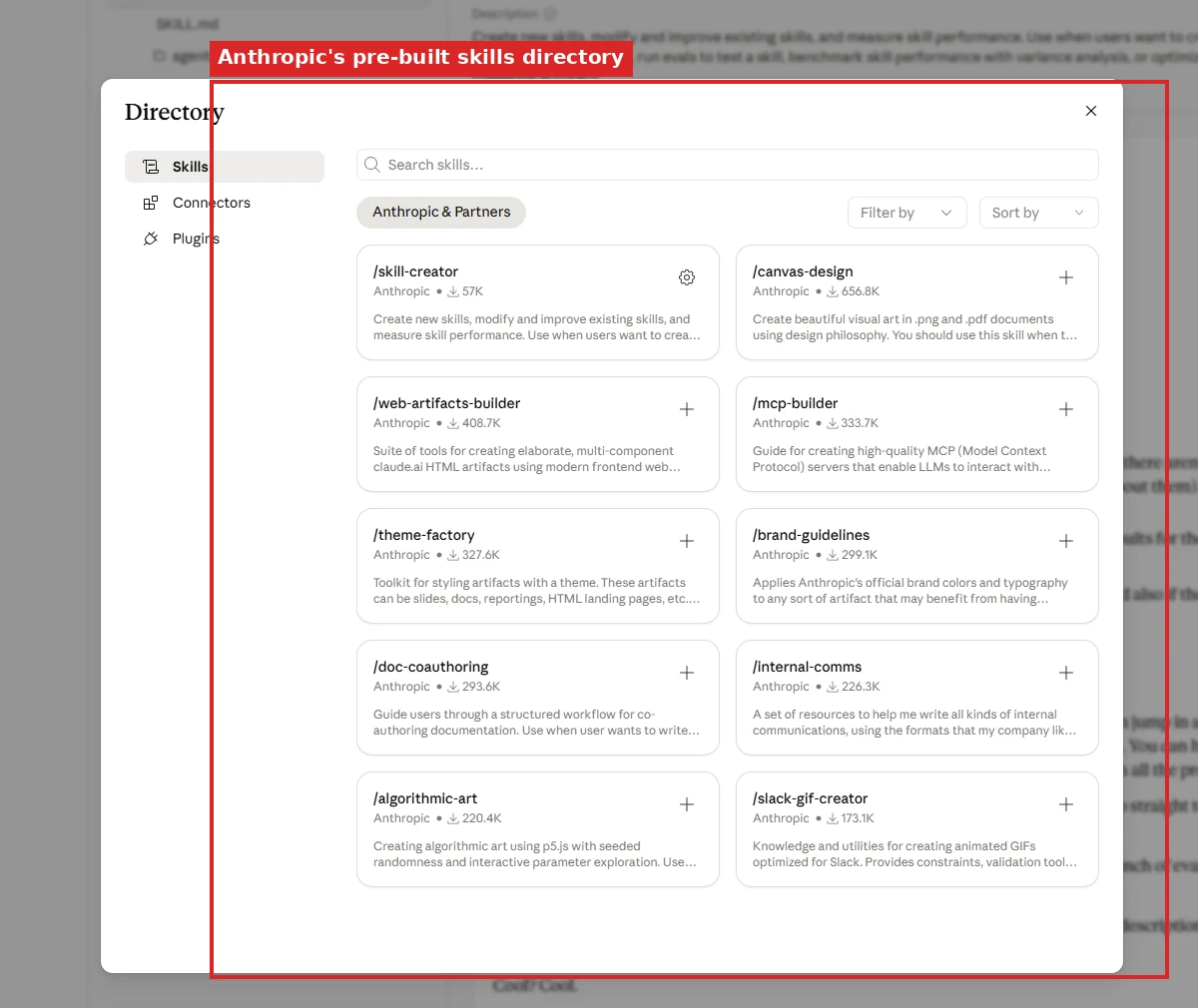
3. Search the work you actually do
Try a real keyword like "presentation", "alt text", "expense", or "email reply", and the skills that match show up.
4. Click Install
One click. The skill is in your account and active in every new chat.
Open a new chat, run a prompt that matches the skill's purpose, and watch it trigger.
Five skills worth grabbing first
The directory rotates, but at time of writing these are the highest-value installs for most people.
Read before you install
A skill is a folder of instructions Claude follows. Bad instructions, bad behaviour.
For skills published by Anthropic in the official directory, you can install with confidence. They are reviewed and maintained.
For third-party skills (or anything you find on GitHub), click into the skill before installing and read the description carefully. Then look at the author. A few habits worth building from day one:
scripts/ folder, those run when the skill triggers. Read them.We cover the full trust check in Module 6 of Skills 101.
When the directory does not have what you need
We work through which directory skills are worth installing for your industry at our Claude Code course. Most rooms find half their candidate skills already shipped by Anthropic and only need to build the other half.
That is when you build your own. The flow we covered in Build Your First Skill in 15 Minutes takes you from idea to working skill in one sitting.
The order matters: browse first, build second. Most beginners skip the browse step and end up reinventing the wheel. Save yourself an hour.
What to do next
Open Claude Desktop. Hit the + next to Skills. Pick Browse skills.
Install one. Run a real prompt against it.
Total time you spend: 90 seconds. The productivity you get back: enormous.
Anthropic's official guide to the directory is at support.claude.com.
Frequently asked questions
How do I open the Claude skills directory?
In Claude Desktop, click the plus button next to the Skills section in the sidebar. A short menu drops down. Click Browse skills.
The directory opens with Anthropic and partner skills, a search bar and filters.
How do I install a skill from the directory?
Search a real keyword for the work you do, something like presentation, alt text, expense or email reply. Then click Install.
One click and the skill is in your account and active in every new chat. Open a new chat and run a prompt that matches its purpose to watch it trigger.
Should I build a skill or install one?
Browse first, build second. Three signals say browse.
You catch yourself writing the same long prompt twice. You are about to give Claude a generic task. Or you want to see what good looks like before spending an hour.
Generic work is usually already in the directory. People build worse versions of shipped skills all the time because they never opened it.
How long does it take to find and install one?
About 60 seconds, start to finish.
Self-paced
Six short modules. Use the directory, build your own, share with your team. One hour total.
Start Claude Skills 101 →Hands-on with us
Live workshop walks you through the directory, installs the right skills for your work, and builds the gaps. APAC dates monthly.
See the workshop →We run hands-on AI training for teams across NZ and Australia.
Leonardo Garcia-Curtis
Founder & CEO at Waboom AI. Building voice AI agents that convert.
Want your team to actually use these tools?
Waboom AI runs hands-on AI training and Claude workshops for teams across New Zealand and Australia.
Explore AI Team Training