7 min read · Walkthrough with the exact prompts · Last updated 14 May 2026
Part of Learn Claude Code: The Complete Operator's Guide. For the operator's overview of Skills, Connectors, Cowork, and Artifacts, start there.
This is your shortest path from "I do not know what a Claude skill is" to "I have one running right now".
You get there in fifteen minutes, with no YAML by hand, no file structure to memorise, and no prior tutorials needed.
If you have not yet read the plain-English explainer on what a skill actually is, do that first.
This post assumes you already know the answer is "a folder that teaches Claude a workflow once".
If you have done Claude Code 101, you already have Claude Code installed and a terminal open.
If you have not, the walkthrough still works, you will just need 20 minutes of setup before the 15-minute build.
The skill we are going to build
The workflow: summarise a meeting note in your voice.
You paste raw notes. The skill turns them into a tight summary, written like you would write it.
Decisions go at the top, owners and dates next, open questions at the bottom.
No filler. No "moving forward". And definitely none of the s-word you have been told never to use.
We picked this because almost everyone has done it manually at least once.
You know what good looks like. You will spot the difference instantly when the skill nails your voice versus when it does not.
If meeting notes are not your thing, swap the topic. Pick something you already re-explain to Claude two or three times a week.
The five-step process below is identical.
The secret weapon: skill-creator
You are not going to write the skill.
A built-in tool called skill-creator is going to write it for you.
You answer five questions in plain English. skill-creator produces a properly formatted skill, valid frontmatter, the lot.
You stay out of YAML. You stay out of file naming rules. You stay out of every technical bit that gives developers heartburn the first time they try this manually.
The only thing you need to use skill-creator is the ability to type.
It ships with Claude. You do not have to install it.
Step 1: Open Claude (any surface)
You can do this on any of the three Claude surfaces. Pick whichever you already have open.
claude. We walk through this in detail in Module 2 of Claude Code 101.This walkthrough uses Claude.ai web for the screenshots because it is the lowest-friction starting point. The flow is identical in Desktop. In the terminal CLI it is the same idea, just text-only.
Step 2: Invoke skill-creator
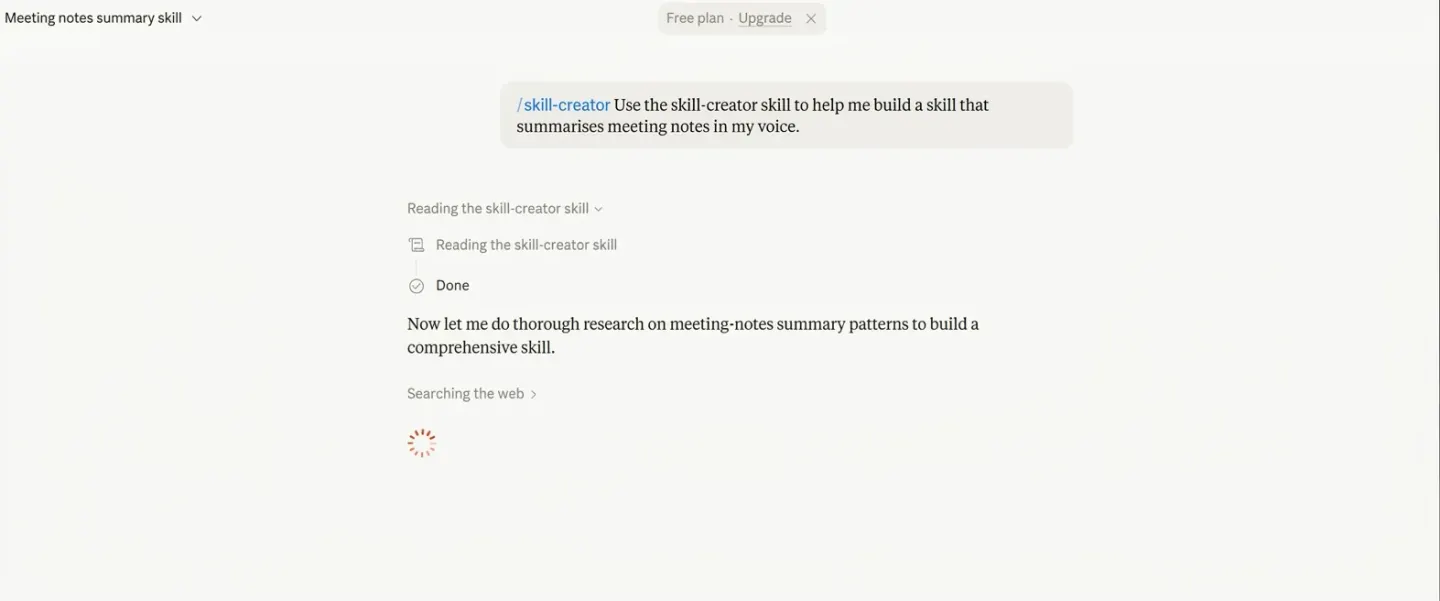
In any new chat, type the slash command /skill-creator and tell it what you want. The exact prompt for our example:
/skill-creator Use the skill-creator skill to help me builda skill that summarises meeting notes in my voice.
Hit enter. Claude reads the skill-creator skill and starts asking questions.
If you do not see /skill-creator in the slash-command list when you type /, you have two options:
skill-creator, click install. Then come back to your chat and re-type the prompt above.skill-creator folder into ~/.claude/skills/.Alternative path (browser only, no slash command): write the skill by hand
If slash commands feel weird and you would rather build the skill from a form, the GUI path is:
Settings → Customize → Skills → + in the Skills panel header, then Create skill → Write skill instructions. Fill the three fields (name, description, instructions). Same result, no slash command, no terminal.
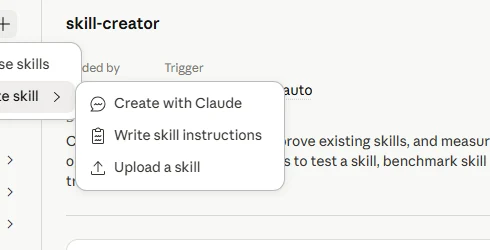
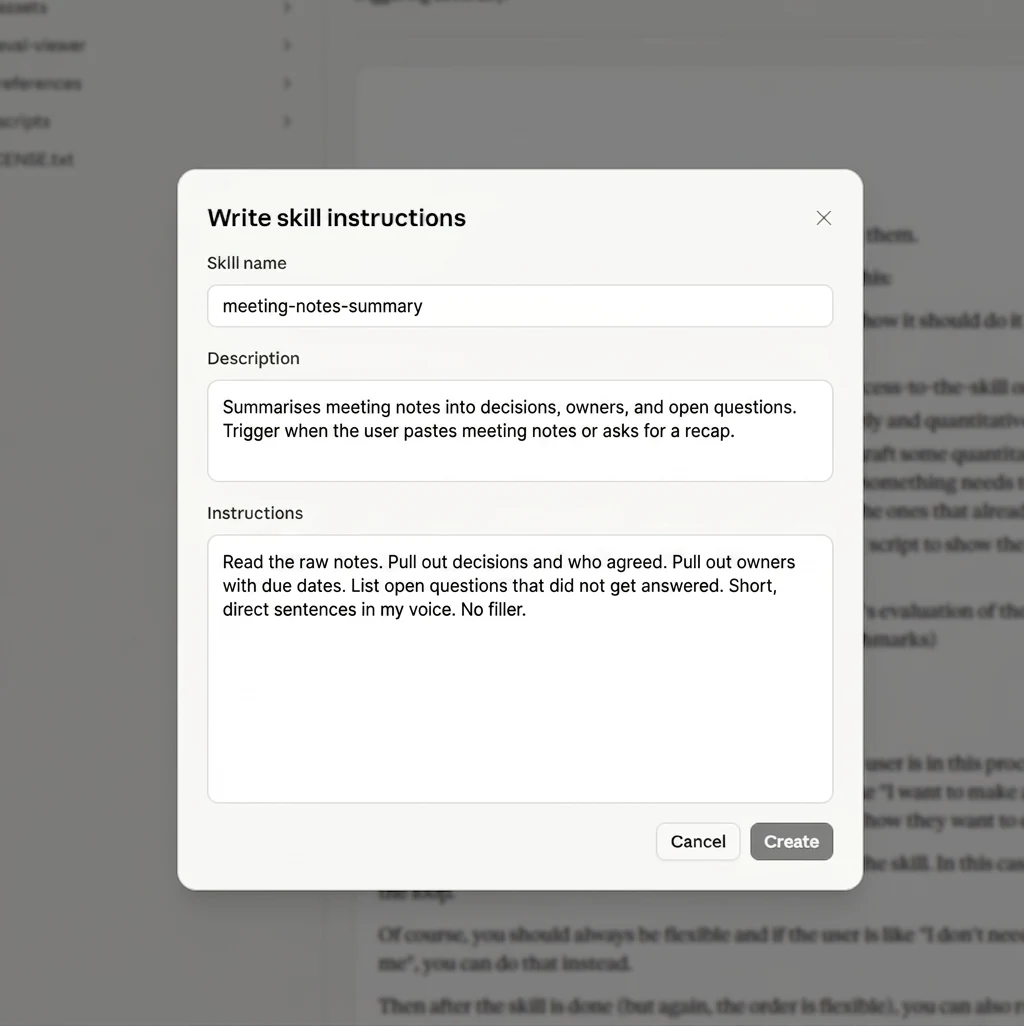
This bypasses skill-creator entirely: you write the prompt yourself, which is faster for quick skills.
Slower if you want the model to interview you and shape the brief. Most beginners get a better result by going through skill-creator at least once. The questions force structure you would not have written on your own.
Step 3: Answer the five questions
1. What does the skill do?
"Summarises meeting notes into a tight format with decisions, owners, dates, and open questions. Writes in my voice, which is direct with no fluff and no buzzwords."
2. When should Claude use it?
"When the user pastes meeting notes, transcripts, or call summaries and asks for a summary, recap, or action items."
3. What are the steps?
"Read the raw notes. Pull out decisions and who agreed. Pull out owners with due dates. List open questions that did not get answered. Write in short direct sentences."
4. Are there examples of good output?
Paste two of your own meeting summaries from when you have done this manually.
The skill learns your voice from real examples. This step matters more than the others.
Two examples beats ten adjectives.
5. What is the skill name?
"meeting-notes-summary". Lowercase, hyphens not spaces, no capitals.
skill-creator will reject anything else, which is fine because the convention exists for a reason.
That is the whole questionnaire.
skill-creator writes the skill, drops it in ~/.claude/skills/meeting-notes-summary/, and offers to enable it for you. Say yes.
Step 4: Test it on a real note
Open a new chat (no restart needed). Paste a raw meeting note. Then type this prompt:
Summarise this meeting:[paste your raw notes here]
Hit enter. Claude detects that your skill applies and runs it. You will see a small "Using meeting-notes-summary" indicator above the response, then the summary below.
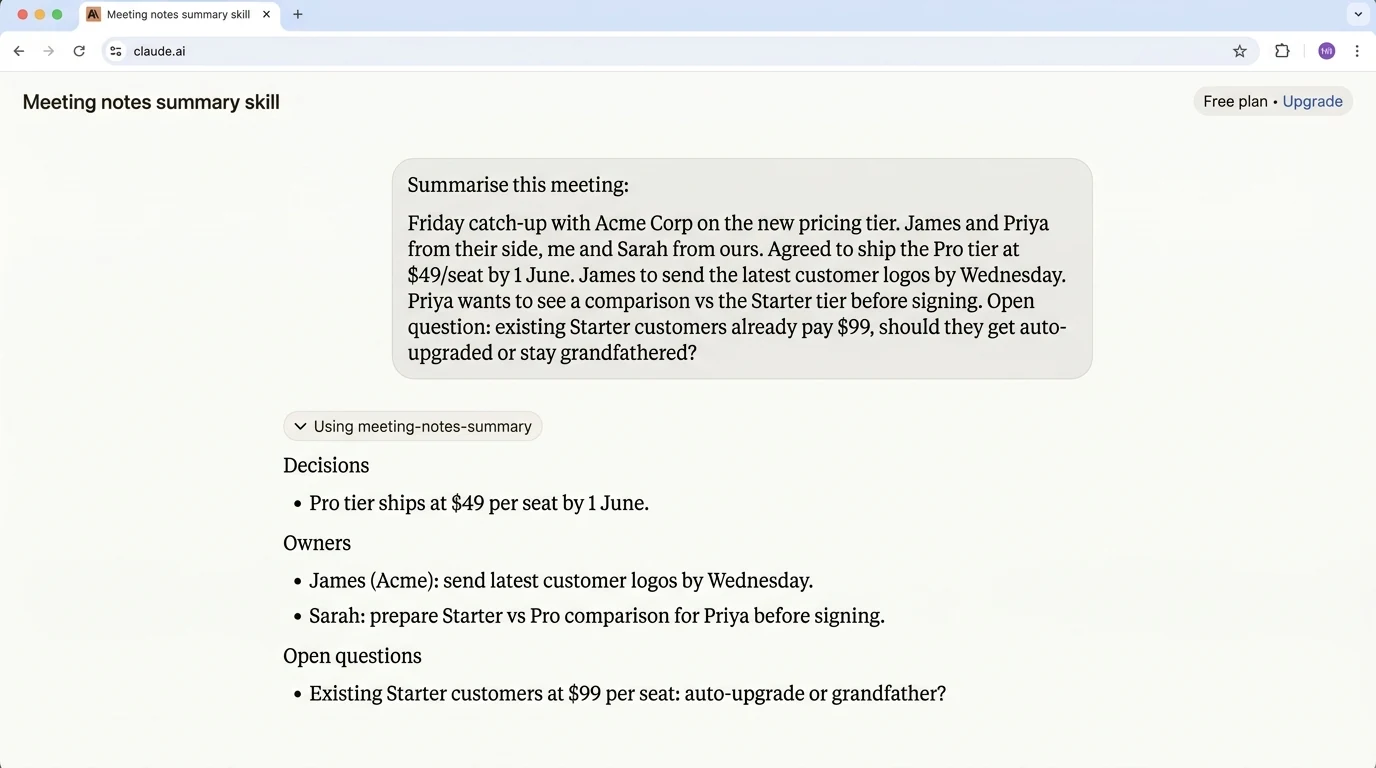
Decisions at the top, owners and dates next, open questions last. All in short sentences.
If the format is right but the voice still feels generic, that is normal first time. Step 5 fixes it.
Step 5: Iterate until it sounds like you
The first version is rarely the final version.
skill-creator exists to make iteration fast. Type the next prompt in the same chat:
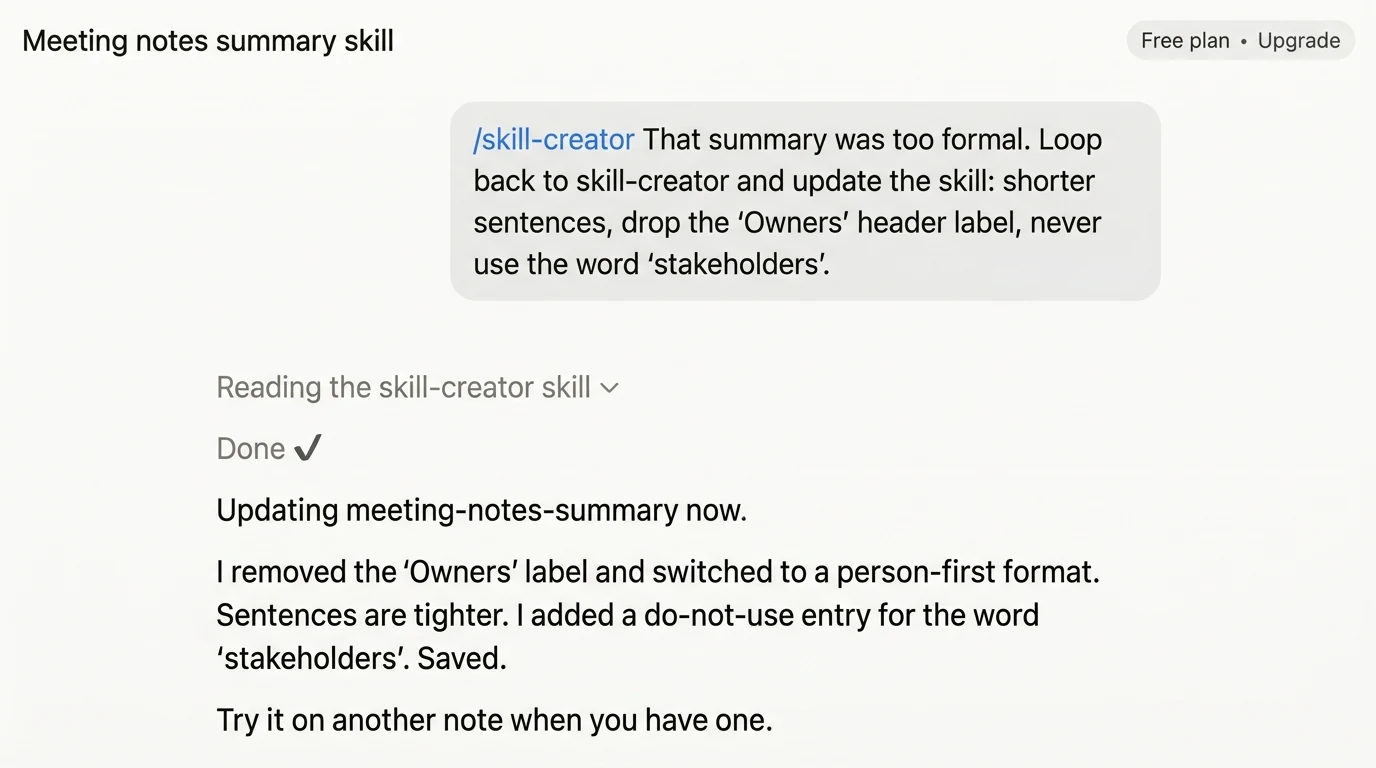
/skill-creator That summary was too formal. Loop back toskill-creator and update the skill: shorter sentences, drop
the "Owners" header label, never use buzzword fillers like the s-word.
Claude re-reads the skill-creator skill, edits the meeting-notes-summary skill in place, and confirms the change.
Test again on the same note. Keep going until it reads like you wrote it.
Three iterations is normal, though some people get there in one and some take five.
None of those iterations involve YAML or file structure.
Students at our Claude Code training across New Zealand and Australia hit this iteration loop within the first hour. Once you have the rhythm with one skill, the second takes 5 minutes.
What you just built
You just built a Claude skill that runs in any chat you open from now on, whenever the trigger fires.
Where the skill actually lives depends on the surface you used:
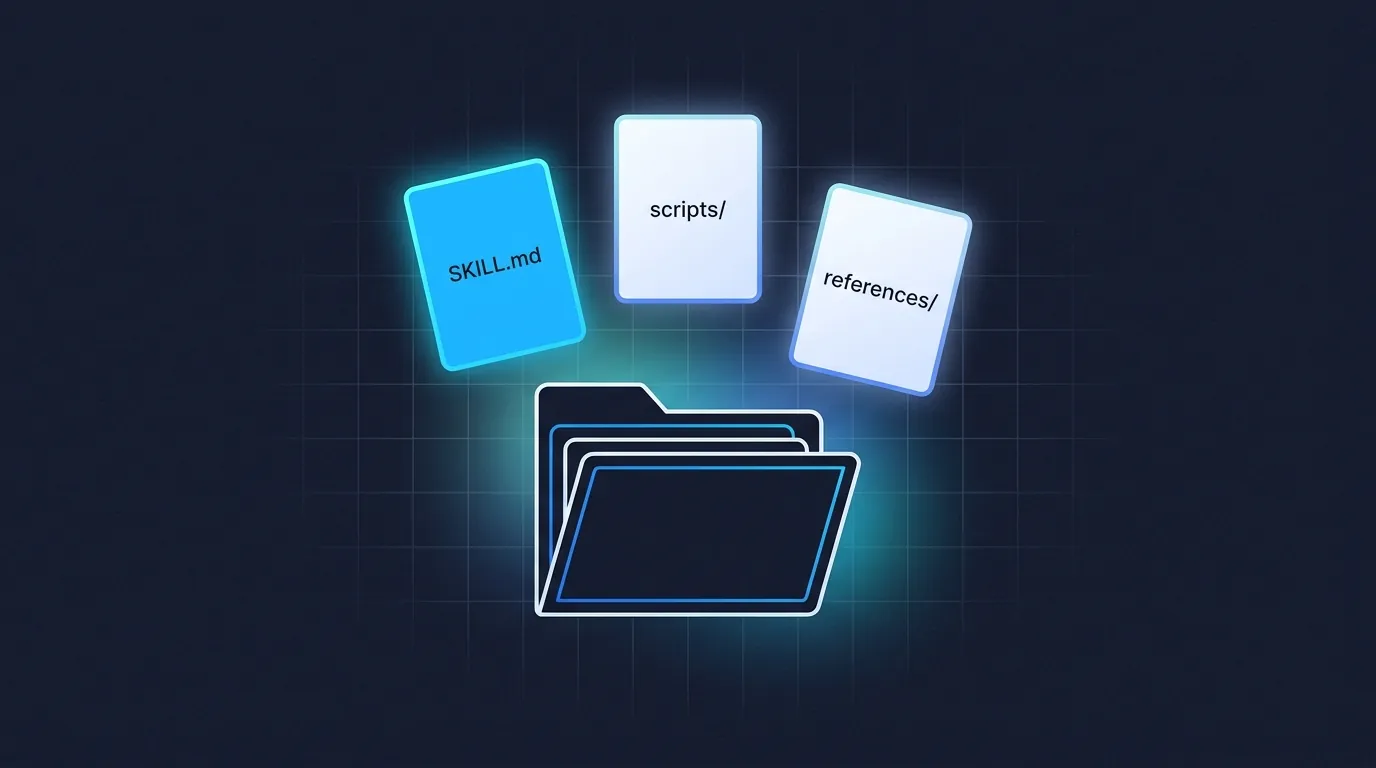
meeting-notes-summary listed under Personal skills. Click it to read the SKILL.md, edit it in place, or disable it. Active in every new chat across all your devices automatically.~/.claude/skills/meeting-notes-summary/, containing one file (SKILL.md). Plain text, open it in any editor.Either way, you now have one skill running. Sharing it with your team is the next thing you learn, covered in Module 6 of the full course.
Want the full course?
This walkthrough condenses Module 4 of Claude Skills 101. You get the full course in one hour, free. It covers using existing skills, building, debugging triggers, and sharing with your team.
Open Module 4 →Common stumbles, in case yours hits one
The skill does not trigger when I ask for a summary.
The description field is too vague. Loop back to skill-creator and ask it to add specific trigger phrases like "summary", "recap", and "action items".
Module 5 of the course has the full debug guide.
The skill triggers on the wrong inputs.
Description is too broad. Ask skill-creator to add a "Do NOT use for" clause excluding the wrong-cases you have seen.
The skill triggers but ignores my voice instructions.
Instructions buried. Ask skill-creator to move the critical voice rules to the top of the file under a "Critical" heading.
What to do next
Use the skill for a week. Notice when it works and when it does not.
Each "does not" is a small skill-creator iteration.
Then build a second skill. The first one is the hardest.
Once you have the rhythm, you will start spotting candidates everywhere. "I do this every Monday" is a skill. "I always tell Claude to skip the introduction" is a skill. "Our team has a checklist" is a skill.
Want to go deeper? The full Claude Skills 101 course is one hour, free. It covers the four other things this post does not.
Frequently asked questions
How long does it take to build a Claude skill?
About 15 minutes if you use skill-creator rather than writing the file yourself. If you do not have Claude Code installed yet, add roughly 20 minutes of setup first.
Do I need to write YAML or learn the file structure?
No. A built-in tool called skill-creator writes the skill for you.
You answer five questions in plain English and it produces a properly formatted skill with valid frontmatter. You stay out of YAML and out of the file naming rules entirely.
What should my first Claude skill be?
Something you already re-explain to Claude two or three times a week. The walkthrough uses summarising a meeting note in your voice, because almost everyone has done that manually and knows what good looks like.
If meeting notes are not your thing, swap the topic. The five-step process is identical.
Do I need to have read anything first?
It helps to know what a skill actually is, which is a folder that teaches Claude a workflow once. Beyond that the walkthrough assumes nothing and needs no prior tutorials.
Self-paced
Six short modules. Use a skill, build one, debug a trigger, share it. One hour total. Free.
Start Claude Skills 101 →Hands-on with us
Live Claude Code workshop walks through this exact 5-step build on your laptop. Skills, Connectors, Cowork as one stack. APAC dates monthly.
See the workshop →Leonardo Garcia-Curtis
Founder & CEO at Waboom AI. Building voice AI agents that convert.
Want your team to actually use these tools?
Waboom AI runs hands-on AI training and Claude workshops for teams across New Zealand and Australia.
Explore AI Team Training