6 min read · Artifacts explainer · Last updated 14 May 2026
Part of Learn Claude Code: The Complete Operator's Guide. For the operator's overview of Skills, Connectors, Cowork, and Artifacts, start there.
You ask Claude for a one-page proposal. It writes back six paragraphs in the chat. You copy them, paste into Google Docs, reformat, struggle with the heading hierarchy, give up and rewrite in your own template.
That is the chat-only workflow. It works, but every output costs a translation step.
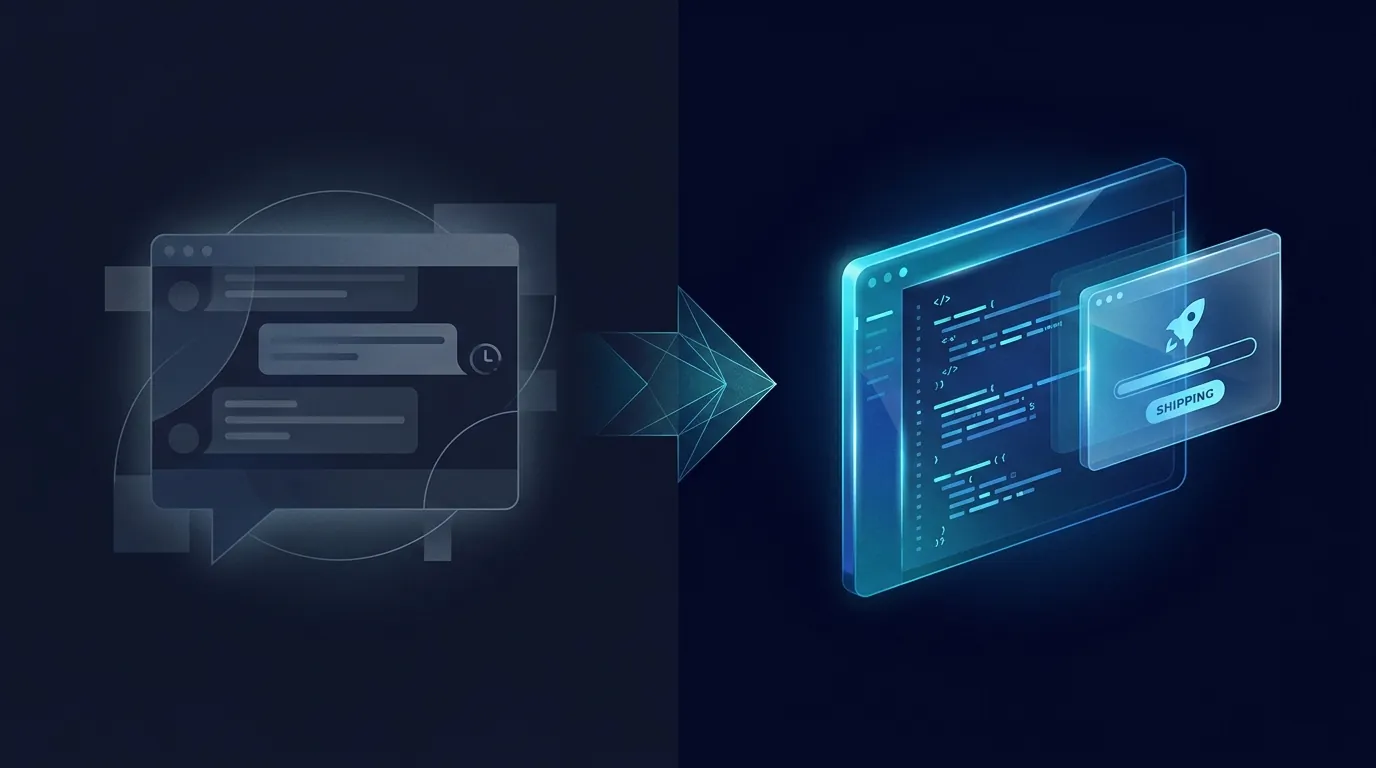
Artifacts skip the translation. Claude builds the proposal in a side panel as a real document. You edit it in place, iterate with chat, and download or share when it is ready.
What an Artifact actually is
When you ask Claude for something bigger than a one-liner, the chat splits into two halves.
Left side: the chat conversation, like normal. Your prompts, Claude's replies.
Right side: the Artifact. The actual document, code, chart, or interactive thing.
It is editable, downloadable, and shareable as a public link.
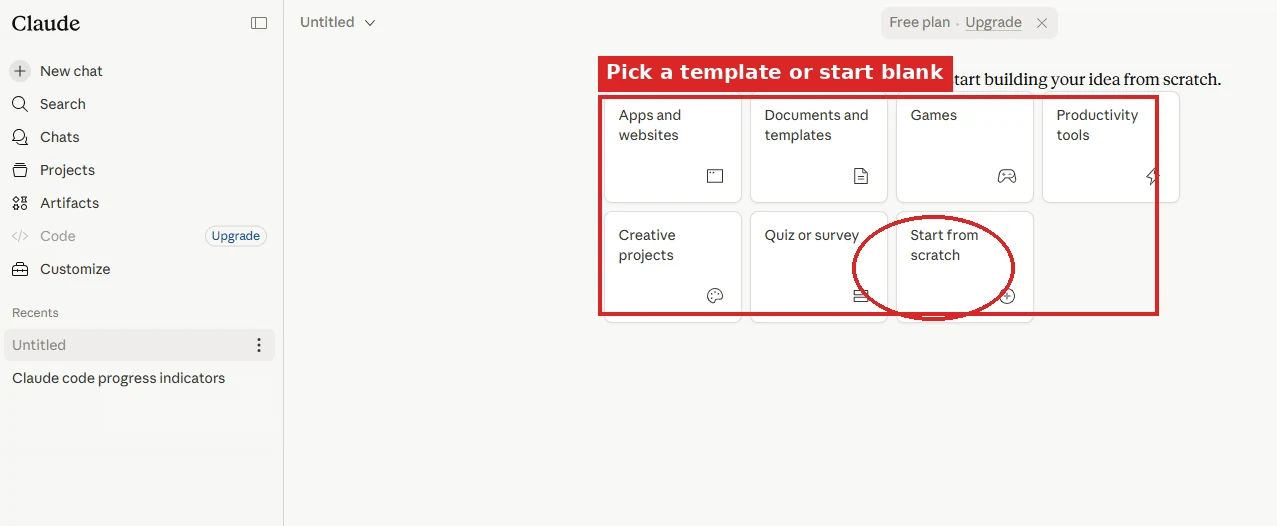
Claude decides when to use an Artifact. Anything more than a few paragraphs and it usually pops one open. You can also force it. Open the Artifacts tab in the sidebar to start one from a template, or write "make this an artifact" in any chat.
When to reach for Artifacts
Think about what you do today when Claude writes you a proposal. You copy the text, paste it into Google Docs, then re-format the headings.
You insert your logo and fix the spacing. That is five steps before you can send anything. Then you find a typo, ask Claude for a fix, and repeat all five.
Artifacts compress that whole loop into one step. Claude builds the doc in a side panel, you edit it in place, you share or download when ready. The five steps become zero.
The rule of thumb: if the output is something you will share, edit, or look at later, it belongs in an Artifact.
Reach for them when:
Stay in chat when:
Three things you should always make with Artifacts
1. One-page docs
The single biggest unlock for non-developers. Proposals, briefs, meeting agendas, executive summaries, project plans.
You ask Claude for the doc, edit it in the side panel, download it as a PDF or markdown, and send.
The whole loop is a quarter of the time it would take in Google Docs. And the output reads better, because you are iterating directly with the model that wrote it.
2. Quick charts from data
Paste a table from your CRM, your spreadsheet, or your call log. Ask Claude to chart it.
The chart pops as an Artifact. You can ask for changes ("make it a bar chart", "highlight the top three") and it updates in place. Screenshot or share-link when you are done.
Faster than opening Excel, building a pivot, choosing a chart, formatting.
3. Small interactive tools
This is the unexpected one. An ROI calculator, a pricing comparison page, a quiz for your team, a landing page mock-up.
Claude can build a small HTML app as an Artifact, complete with working logic. You can use it immediately in the side panel, or grab the code and ship it somewhere.
We have built more "throwaway" small tools as Artifacts in the last year than the previous five combined. Most never make it to production. Some do.
How to share an Artifact
Open the Artifact. Hit the share button. You get a three-way choice: keep private, share with your team, or create a public link.
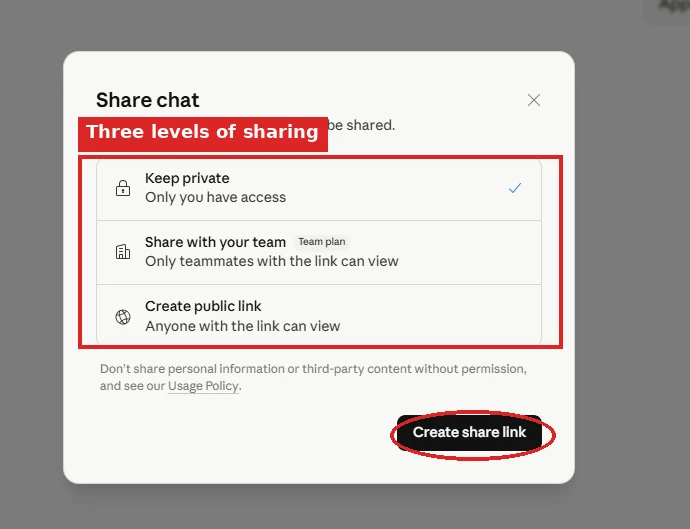
Public link works for anyone, whether or not they have a Claude account. The Artifact renders as a live, interactive view of whatever you built. Code becomes a working preview. Documents become reading view.
This is how a small calculator goes from "I made this in 10 minutes" to "the team uses this every Friday" without ever leaving Claude.
Live Artifacts: the Cowork upgrade most people miss
Anthropic recently shipped a stronger version called Live Artifacts, specifically for Cowork. The official definition: "A persistent, interactive HTML page that Claude creates for you in Cowork. A tracker, a dashboard, a comparison tool, a reference, shaped around your specific work."
Three things make a Live Artifact different from a regular chat Artifact:
1. They persist
Live Artifacts get their own tab in your Cowork sidebar. You do not have to find the chat they came from. Open them like any other document, anytime.
2. They refresh themselves
When you open a Live Artifact, it can pull live from your connected apps and local files. The view reflects today, not the day Claude built it. A dashboard built on Monday shows Tuesday's data on Tuesday.
3. Version history
Every update saves a version. You can review how the artifact has evolved over time and restore an earlier version if a change broke something.
Five Live Artifacts Anthropic ships as examples
Notice the pattern. Live Artifacts are most powerful when they read live data from things you already use. The Connector layer (Notion, Gmail, Linear, Drive, your CRM) is what feeds them. Connectors 101 covers the wiring.
How to create a Live Artifact
Two ways:
Each Live Artifact gets a manual refresh button in its header if the auto-refresh is not pulling fast enough for your taste.
Safety: read this before you build one
Anthropic flags one important caveat: "Live Artifacts use your connectors without asking on every refresh."
That means: if your Live Artifact has a connector with write or delete permissions attached, it can fire that connector every time the artifact refreshes. Three safety habits worth building from day one:
One catch: Live Artifacts are not shareable yet, though sharing is on Anthropic's roadmap. For now they are for your own use, replacing the "I built a thing, now reformat it as a Notion page" loop.
Artifacts plus Skills: the multiplier
Artifacts on their own are good. Artifacts with a skill attached are how you ship at speed, the way we do at Waboom.
We have a brand-guide skill that knows your colours, your font choices, your voice rules, your footer template (once you set it up). Every Artifact Claude builds inherits all of that automatically.
The result: a one-page proposal Claude generates as an Artifact is already on-brand. No reformatting. No "make it match our colour scheme" prompt.
This is exactly the skill we covered in What is a Claude Skill. The combination is where the speed compounds.
Common stumbles
Forgetting Artifacts exist. Most people default to chat-only. The simplest unlock: next time you would copy-paste Claude's output into a doc, ask "can you make this an artifact instead?"
Treating Artifacts as final. They are designed to iterate. Highlight a section in the panel, ask Claude to change it, watch it update in place. Faster than rewriting.
We run this exact iteration drill at our Claude Code course. By the second hour every attendee has a brand-styled Artifact they built themselves, paired with a skill that styles every future Artifact the same way.
Not using the share link. The share link is a real product. Treat the Artifact as something you would actually send to a client, because you can.
What to do next
Open a chat. Ask Claude for the most boring document you have to write this week. Force an Artifact ("make this an artifact"). See how the workflow changes.
Then layer a skill on top so the Artifact comes out in your voice and your format automatically.
Frequently asked questions
What is a Claude Artifact?
An Artifact is a working document, chart, or small app that Claude builds in a side panel next to your chat. The left side stays a normal conversation. The right side holds the real thing.
It is editable, downloadable, and shareable as a link. That removes the copy, paste, reformat step between Claude's output and your actual work.
How do I make Claude create an Artifact?
Claude usually opens one by itself for anything longer than a few paragraphs. To force it, type "make this an artifact" in any chat.
You can also open the Artifacts tab in the sidebar and start one from a template.
Can I share a Claude Artifact with someone who does not have a Claude account?
Yes. Open the Artifact, hit share, and choose a public link. Anyone can open it, account or not.
Code renders as a working preview and documents render as a reading view. That is how a calculator you built in ten minutes becomes the thing your team uses every Friday.
What is the difference between an Artifact and a Live Artifact?
A regular Artifact lives in the chat that created it. A Live Artifact is a Cowork feature and differs in three ways.
It gets its own sidebar tab, so you never hunt for the original chat. It pulls fresh data from your connected apps each time you open it. Every update saves a version you can restore.
Are Live Artifacts safe to use with connectors?
Treat them carefully. Anthropic's own caveat is that Live Artifacts use your connectors without asking on every refresh.
Use read-only connectors wherever you can. If write access is genuinely required, scope it to one specific database or one label so an unexpected refresh cannot reach anything else.
Can I share a Live Artifact with my team?
Not yet. Sharing is on Anthropic's roadmap, but for now Live Artifacts are for your own use.
Regular chat Artifacts do support private, team, and public sharing today.
Self-paced
Six short modules on Claude Skills. The skill layer that makes every Artifact come out in your voice and format. One hour total.
Start Claude Skills 101 →Hands-on with us
Live workshop builds real Artifacts on real client work. You leave with three working tools and a skill that styles every Artifact you make.
See the workshop →To go deeper with your whole team, look at Waboom's AI training programmes.
Leonardo Garcia-Curtis
Founder & CEO at Waboom AI. Building voice AI agents that convert.
Want your team to actually use these tools?
Waboom AI runs hands-on AI training and Claude workshops for teams across New Zealand and Australia.
Explore AI Team Training