Five rollouts landed on the Waboom portal in May. None of them require you to learn a new workflow. All of them quietly make the next campaign better.
Below: what shipped, what each one does, and why it matters to your bottom line.
Cost Reporting
Cost per outcome on every campaign report
Old reports said "You spent $832 on 2,190 calls." True. Useless. You cannot quote that number to your accountant.
New reports say "43 sellers passed to your sales rep at $2.27 each." That is a number you can quote.
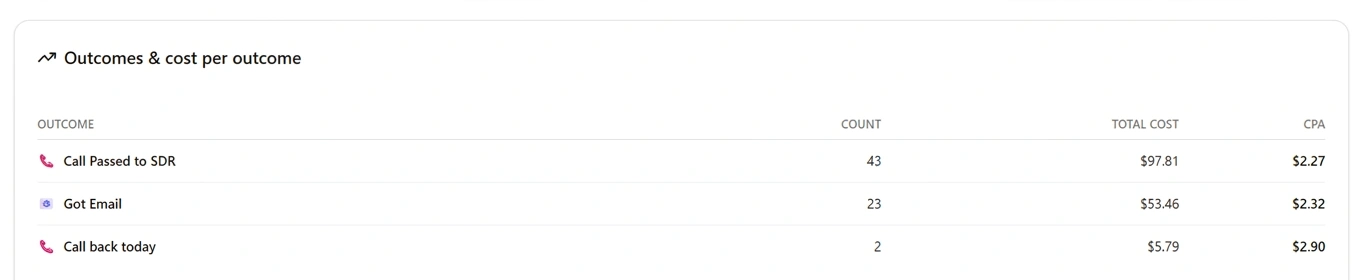
Every tag you flag as a campaign outcome now gets a cost-per-outcome (CPA) figure. Both on the report and in the campaign-completion email. The agent does the dialling. The portal does the maths. You spend less and win the budget conversation.
Smart Scheduling
Smart calling windows the agent learned itself
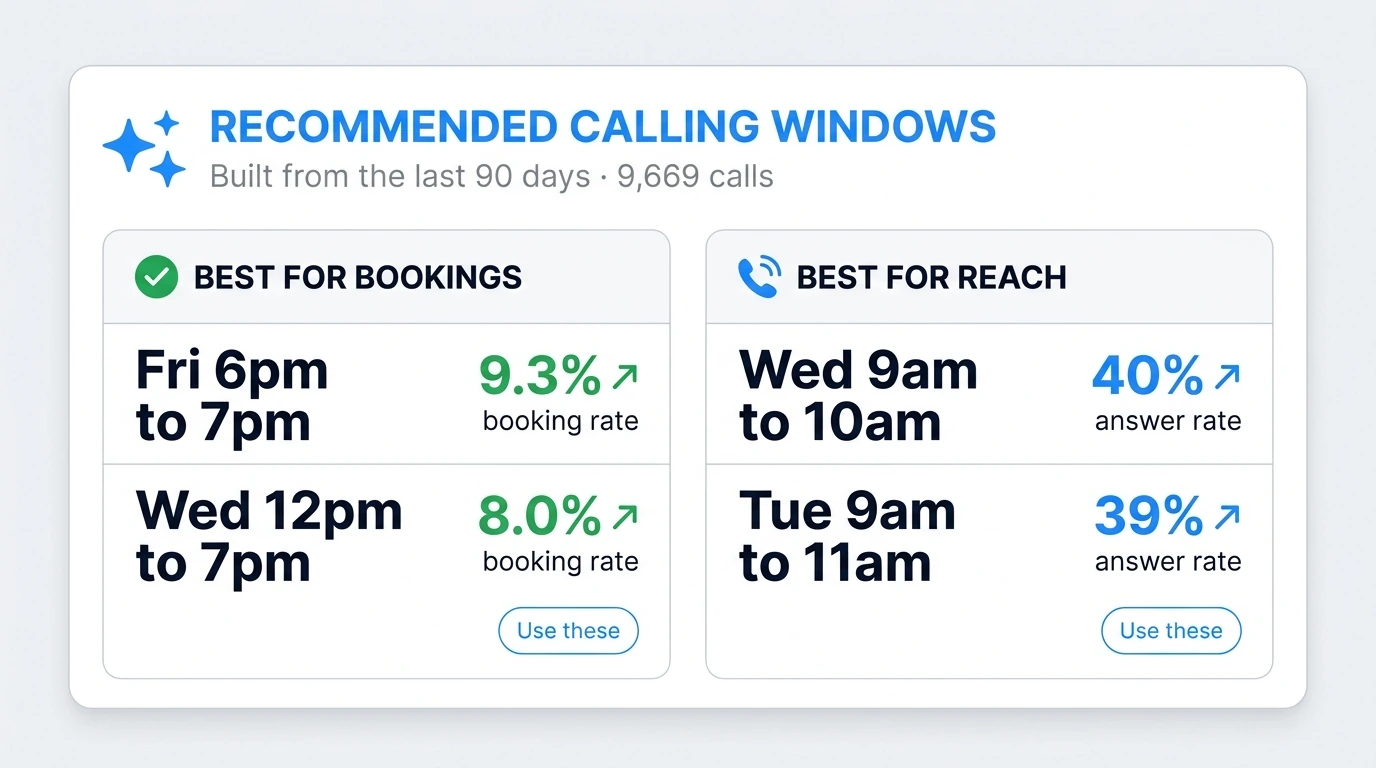
The campaign builder now shows you the best windows to call this exact agent. Built from the agent's last 90 days of dialling. In one client case, that is 9,669 calls of evidence behind the recommendation.
Two columns the form fills in for you:
- →Best for bookings. Friday 6pm to 7pm. 34% answer rate, 9.3% booking rate.
- →Best for reach. Wednesday 9am to 10am. 40% answer rate.
Click "Use these" and the campaign schedules itself around the windows that actually convert. The longer the agent runs, the sharper the recommendation. Six months in, your windows look nothing like the generic Tuesday morning advice every other vendor gives.
Holiday Awareness
Public holiday auto-skip
Same form. The portal now flags every public holiday inside your campaign window and refuses to dial on those dates. Aotearoa New Zealand has 11 public holidays in the next 12 months. Mon 1 Jun (King's Birthday). Fri 10 Jul (Matariki). Christmas. Boxing Day. The full list.
The only voice agent more annoying than one calling during dinner is one calling on Anzac Day. That problem is now solved by default.

Custom Tagging
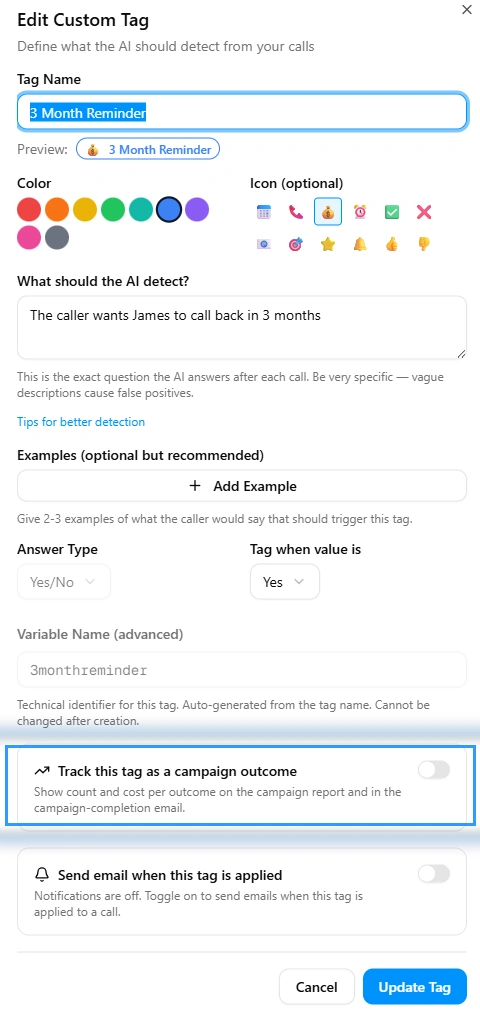
Custom AI tags in 30 seconds
Tags are how the AI summarises every call. As of May, you build your own.
- Type a tag name. ("3 Month Reminder.")
- Tell the AI what to detect. ("The caller wants James to call back in 3 months.")
- Add a couple of example phrases.
- Pick a colour and an icon.
Then toggle two switches:
- →Track this tag as a campaign outcome. Count and CPA show up on the next report.
- →Send email when this tag is applied. Your inbox pings the moment the AI hears it.
The agent picks up the new tag on the next call. No engineer. No support ticket.
AI Insights
The Insights tab that tells you what to fix
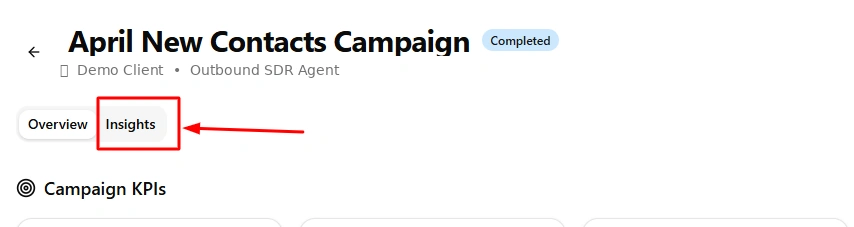
Every completed campaign now has a second tab. Insights. Open it and the AI hands you a graded report on the campaign you just ran.
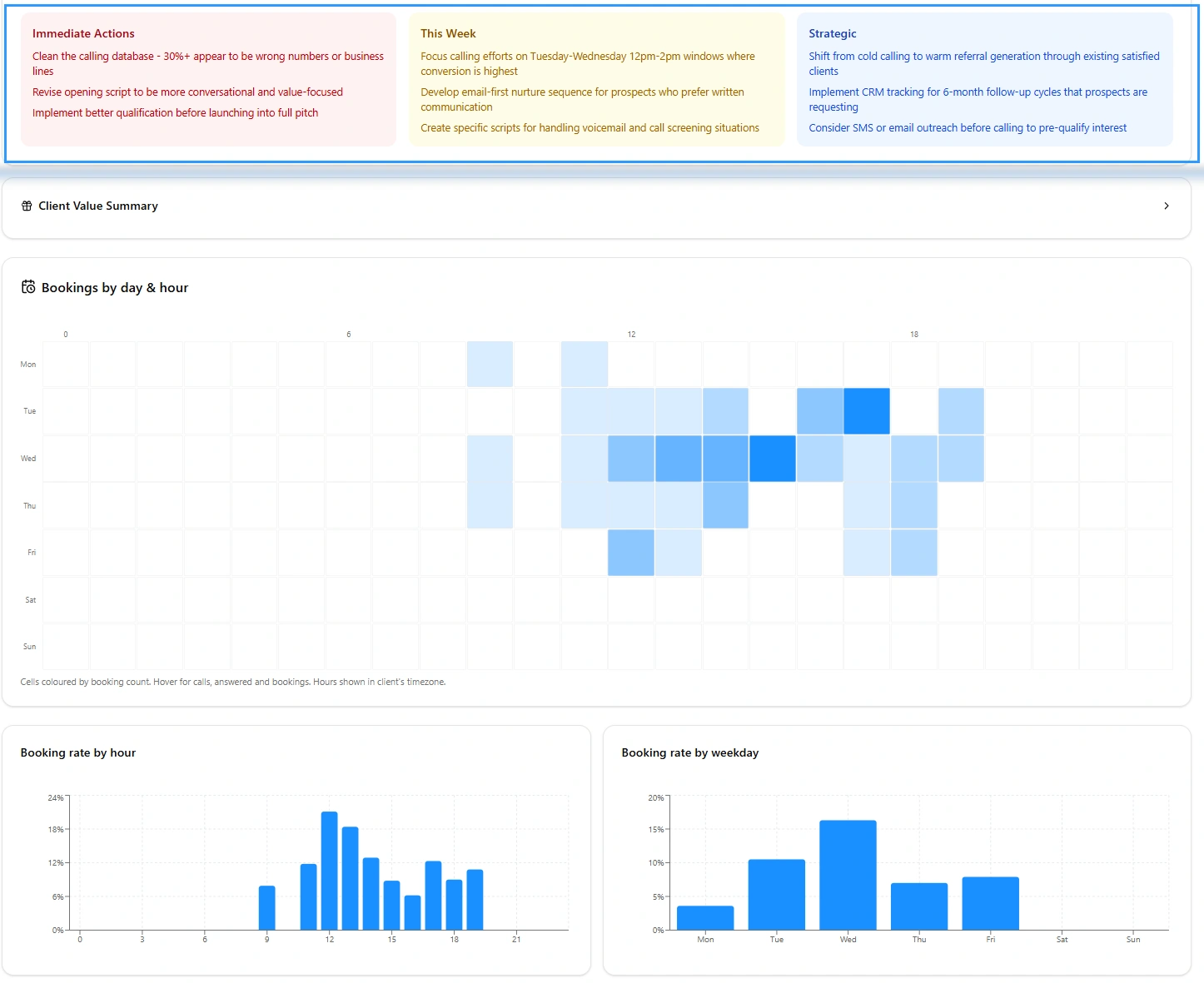
Three colour-coded cards at the top:
- Immediate Actions (red). Today's fixes. e.g. "Clean the calling database. 30%+ appear to be wrong numbers or business lines."
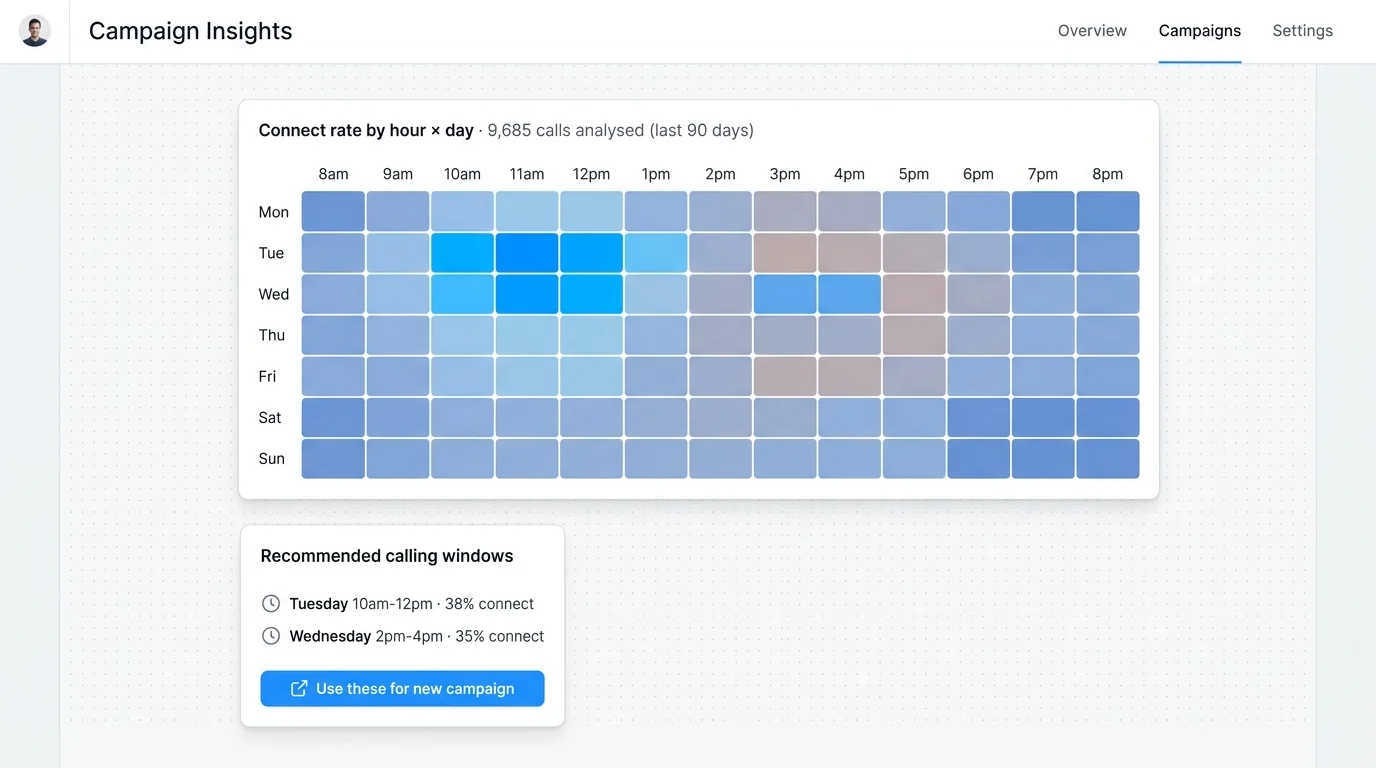
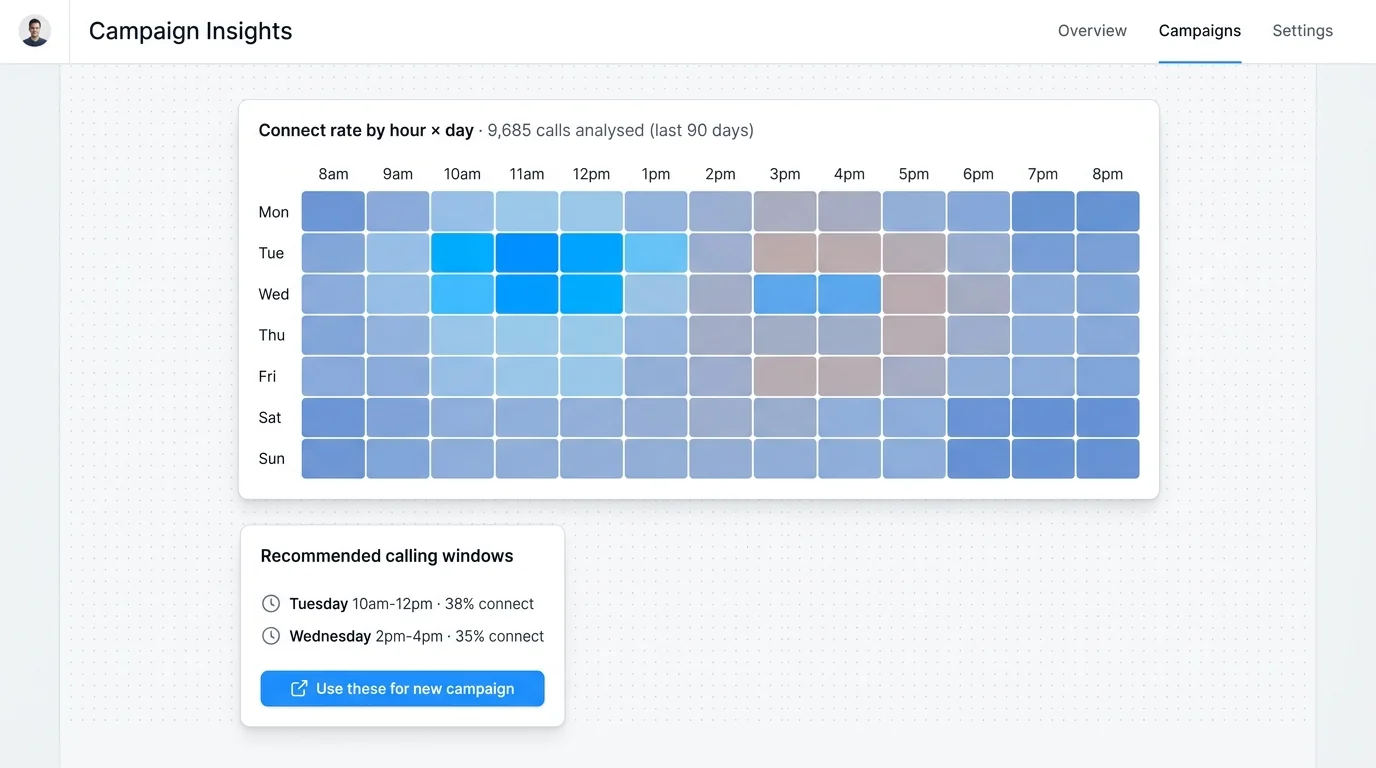
- This Week (yellow). Script and timing tweaks. e.g. "Focus calling on Tuesday-Wednesday 12pm-2pm windows where conversion is highest."
- Strategic (blue). Quarterly moves. e.g. "Implement CRM tracking for 6-month follow-up cycles that prospects keep requesting."
Below that: a bookings heatmap (which day-and-hour cells produced the bookings). Plus booking rate by hour and by weekday. All built from your actual campaign data, not a textbook average.
The agent is not just running. It is reading itself and writing you the next plan.
The Outcome
What this means for you
April's campaign for one client put the picture together:
- Calls dialled2,190
- Connected (27%)602
- Outcomes worth following up68
- Spend attributed to those 68 outcomes$157
- Average cost per qualified outcome$2.31
$157 is the cost the platform attributes to the 68 tracked outcomes, not the total cost of all 2,190 dials.
Try getting numbers like those out of your current outbound stack. The five features above are why the same engine will produce a sharper number next month, without anyone tuning anything.
See the portal you'd actually use
A 15 minute demo on your numbers, not a deck. We open a real campaign report, walk the Insights tab, and show you what your CPA would look like.
Book a demo · AI Sales Agent pillar · How the agent learns nightly
Leonardo Garcia-Curtis
Founder & CEO at Waboom AI. Building voice AI agents that convert.
Ready to Build Your AI Voice Agent?
Let's discuss how Waboom AI can help automate your customer conversations.
Book a Free Demo