
The first time you set up an AI receptionist, you probably did it the hard way. You wrote the prompt, wired up a function to take a message, then added another to transfer a call. You tested it, found it sent Mrs Patel to the wrong desk, and reworded the lot.
That is over.
Now you add a person by name, give them an email and an extension, and press save. The agent updates itself. That is the whole trick: an AI receptionist transfers calls and takes messages, and the receptionist becomes the simplest agent you will ever set up.
On this page
- What the Reception directory is
- Adding a person, and what the agent does for you
- How it transfers calls and takes messages
- Where a message goes when someone is busy
- Stopping calls when someone is on holiday
- How it knows who the caller asked for
- Adding your whole team at once
- Why it is the simplest agent to set up
What is the Reception directory on your AI receptionist?
The Reception directory is the list of people your callers can ask for. The agent recognises each name and sends every message to the right person. Ask for your accounts lead and you reach your accounts lead, not a shared inbox nobody checks.
You will find it as the Reception tab on any inbound phone agent. It sits alongside the rest of the agent settings, and it is the only screen you touch to run your front desk.
Each person gets a few plain fields. Name, role, an email for messages, the nicknames they go by, and an extension or a direct dial number. That is the raw material. If you want the background first, here is what a virtual receptionist does on a normal day.
How do you add a person, and what does the agent set up for you?
You fill in that short form and press save. That is the whole job.
Here is what happens the moment you save, without you lifting a finger. The platform rewrites a managed section of the agent's prompt, so it now knows this person by name, role and nicknames. Then it rebuilds the agent's functions. There is one clean way to take a message, and one way to put a caller through to each person who takes calls.
Your own instructions stay exactly as you wrote them. The directory only owns its own block, so the tone and rules you set for the agent are never touched. It runs every single time you save, which means the agent on the phone is always the agent you see on screen.
No prompt editing. No code. You changed a name and a role, and the thing answering your phone already knows.
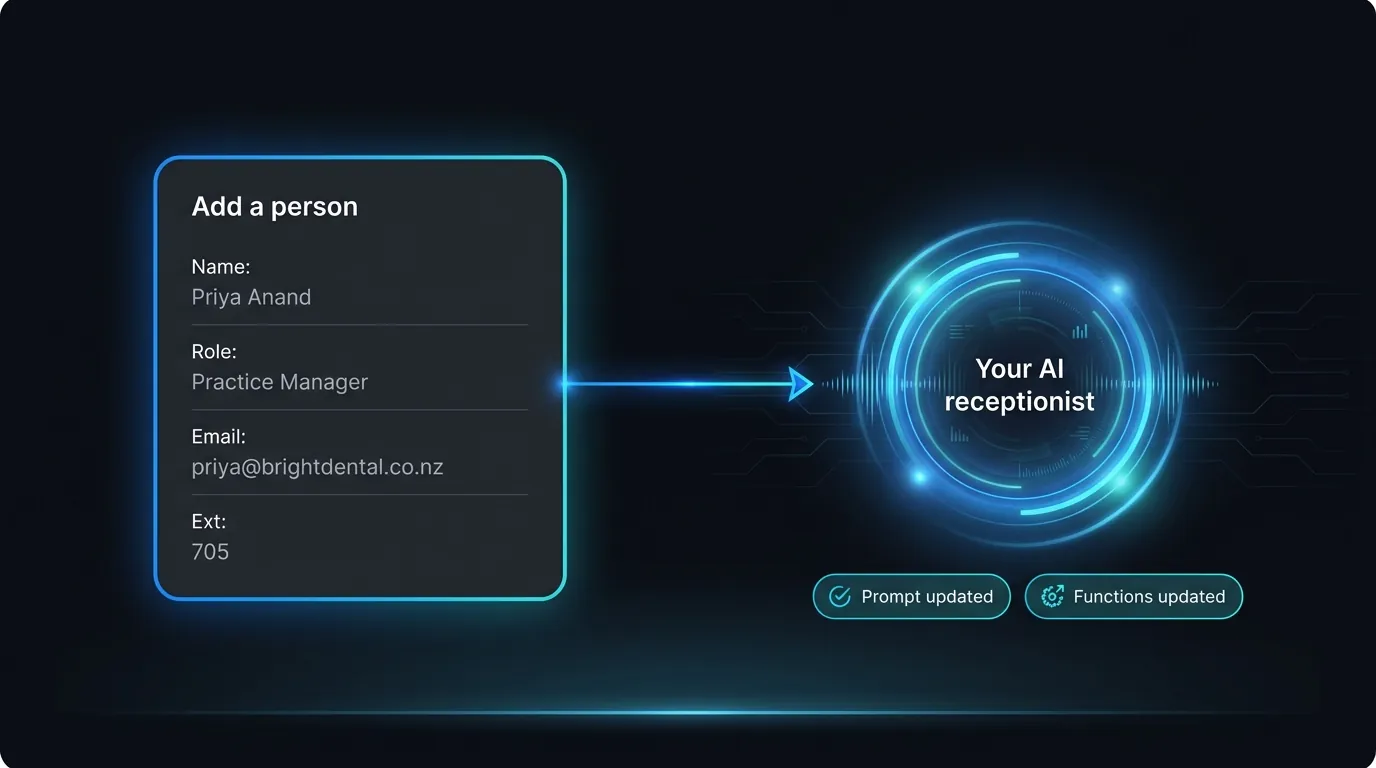
Add a person and the agent rewrites its own prompt and functions. You never touch code.
How your AI receptionist transfers calls and takes messages
Two paths, depending on whether the person is free. If they can take the call, the agent puts the caller through. If they cannot, it takes a message. You never wire either one up yourself.
A transfer here is a warm handover. The agent tells the caller it is connecting them. It dials the person and passes on who is calling and what it is about, then steps away.
If no one answers in about 15 seconds, it comes back and offers to take a message. The caller is never left listening to a ring that goes nowhere. This is how a warm transfer works in practice.
There are two ways to reach a person, and you pick per person. Give them a direct dial number and the agent rings it straight. Or set one main line for the business and give each person an extension, and the agent dials the main line then sends the extension. Leave the main line blank if everyone has their own direct number.
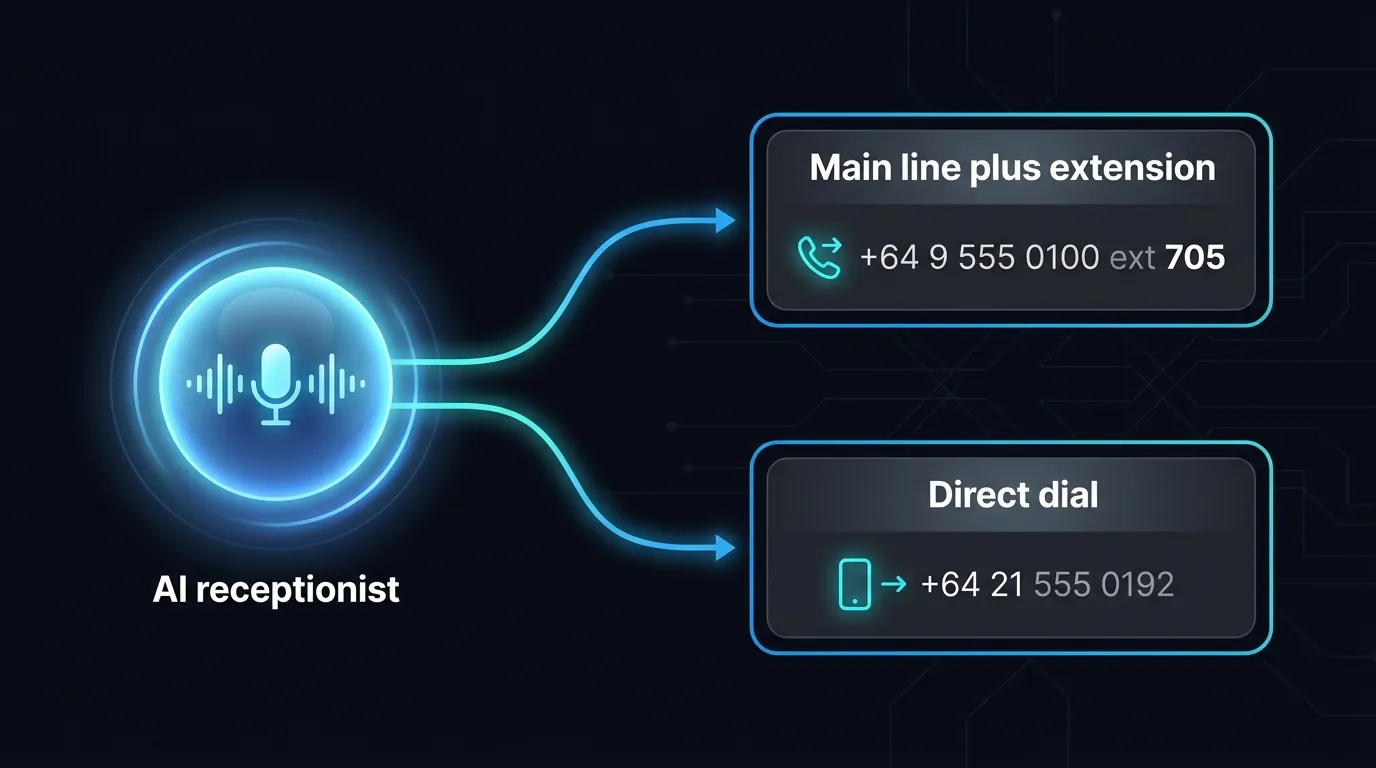
Reach each person by a main line and extension, or by their own direct dial number.
Where does a message go when someone is busy?
Straight to that person's own inbox, while the caller is still on the line. The agent captures who called, a callback number and what it is about. Then it emails that person at the address you set, with a link to the call.
Your practice manager gets her messages, your accounts lead gets his, and nobody sifts a shared voicemail box at 8am. Those details are personal information, so handle them the way the Privacy Act 2020 expects. Keeping each message with the right person is part of that.
If a caller does not name anyone, the message still lands. You mark one person as the default contact, and anything without a name goes to them. A message is never dropped on the floor.
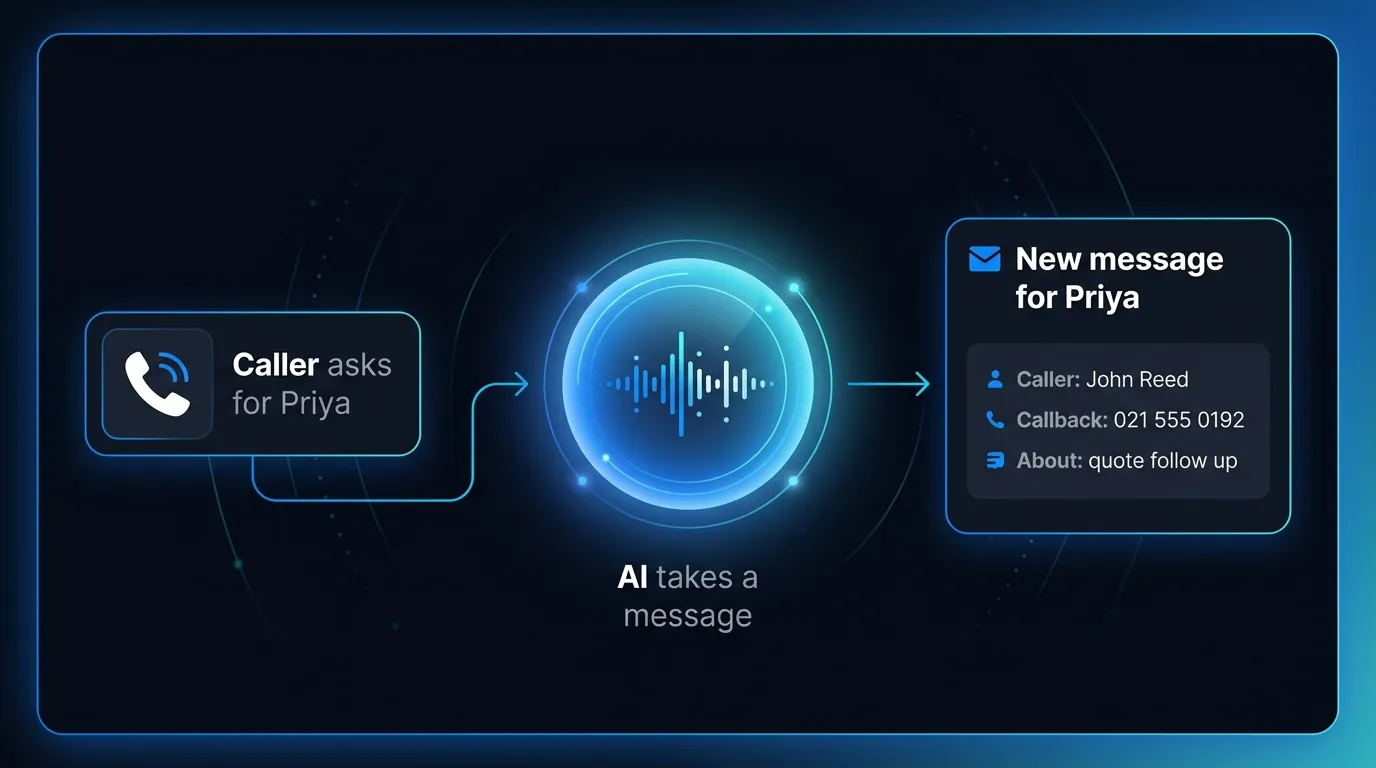
Busy? The agent takes a message and emails it to that person, with a link to the call.
Can you stop calls going to someone who is on holiday?
Yes, with one switch. Every person has a "can transfer calls to this person" toggle. Turn it off and the agent stops putting callers through to them and takes a message instead. Nothing else changes.
That is the holiday setting in real life. Your senior associate flies out on Friday, so you flip her transfer off. Callers who ask for her get a tidy message taken, not a phone ringing in an empty office. She flips it back on when she lands.
The same switch covers anyone who simply does not want live calls, like a specialist who only works from written notes. Put them in the directory, leave transfer off, and they still get their messages by email.
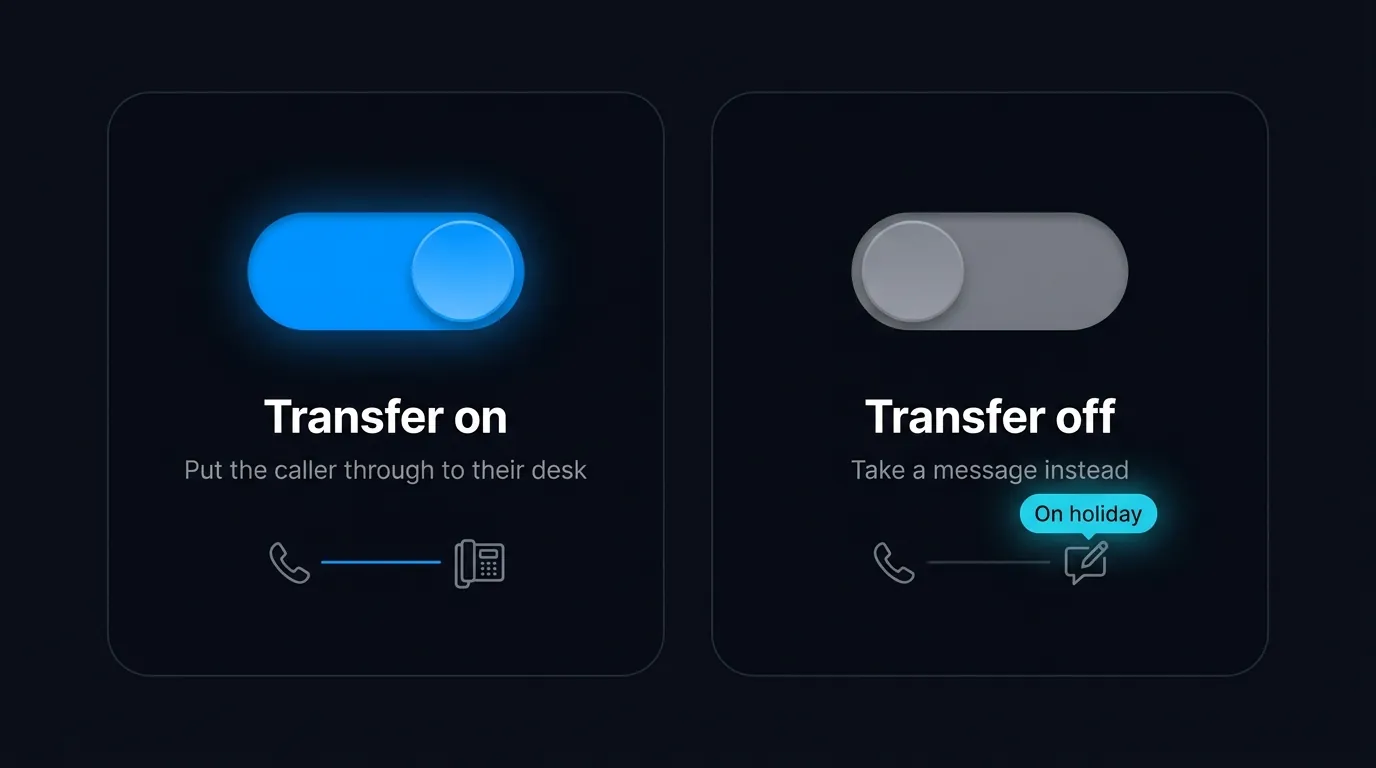
One switch. Transfer on puts callers through, transfer off takes a message for anyone away.
Want to watch this on a real line? Try the Waboom AI receptionist and add your first person in a couple of minutes.
How does it know who the caller asked for?
People do not ask for staff by their full legal name. They ask for Sam, or the front desk, or whoever does the accounts. Each person carries a set of nicknames, the "also known as" list, and the agent matches what the caller says against it.
Ask for "Sam" and it finds Sam Taylor. Ask for "the property team" and it lands on the person whose role is property. It is careful about it too, so a name like "Ann" never gets matched inside a word like "answer".
When nothing matches and the caller has not named a person, the default contact catches it. Between the nicknames, the roles and the default, the caller gets somewhere useful every time.
Can you add your whole team at once?
You do not add 15 people by hand. Import a CSV with a column for names, plus columns for role, email, extension and nicknames. The whole team lands in the directory in one go.
New starters are set to active, existing people are updated by name, and the agent syncs itself straight after the import. A 10 person office is a two minute job, not an afternoon.
From there you tidy the odd detail, set your default contact, and mark who can take live transfers. The front desk is built.
Why is an AI receptionist the simplest agent to set up?
Because the directory does the wiring that used to be your job. Every other kind of agent asks you to think about prompts and functions. This one asks you for a name and an email.
The maths helps the decision along. The government's careers site puts a front desk receptionist in New Zealand at about $49,000 to $65,000 a year. A Waboom AI call runs about 80 cents a minute, billed by the second. The average call is close to 30 seconds, so most answered calls cost you well under 50 cents.
Your receptionist still runs the desk. The agent just makes sure the phone gets answered while she is on lunch, on leave, or stuck on another line.
If you are weighing it up, here is an AI receptionist next to an answering service and a human. And here is how to forward your calls to it without changing your number. It can also book appointments on the call and route overflow and after hours calls when the desk is swamped.
Frequently Asked Questions
Do I need to write a prompt or any code to set this up?
No. You add each person, and the agent updates its own prompt and functions on save. You never touch code or wording.
Can the AI receptionist transfer a call to a specific person?
Yes. It runs a warm transfer using your main line plus their extension, or a direct dial number. It tells them who is calling before it hands over.
What happens if the person the caller wants is not available?
The agent takes a message and emails it to that person, with the caller, a callback number and the reason. A default contact catches anyone the caller does not name.
Can I stop the agent transferring calls to someone on leave?
Yes. Turn off their "can transfer calls to this person" toggle and the agent takes a message for them instead. Turn it back on when they return.
Where do the messages go?
To each person's own email. It carries the caller's name, their callback number, what it is about and a link to the call. The right person has the full picture.
Does the caller need to know an extension number?
No. They say a name or a role, and the agent matches it, nicknames included. Extensions are only how the agent reaches the person behind the scenes.
Set up your front desk in minutes
Add your team, and your AI receptionist is ready.
Put each person in the Reception directory, mark who can take live transfers, and the agent handles the rest. See it running on the Waboom AI receptionist, then add your first person and call your own number to hear it answer.
For the bigger picture, read our complete guide to AI voice agents for NZ and Australian businesses.
Leonardo Garcia-Curtis
Founder & CEO at Waboom AI. Building voice AI agents that convert.
Ready to Build Your AI Voice Agent?
Let's discuss how Waboom AI can help automate your customer conversations.
Book a Free Demo

