7 min read · Outbound voice operator notes · Last updated 8 May 2026
Everyone in outbound told us the same thing when iOS 26 dropped.
Apple call screening would kill it. Unknown number? Screened.
AI voice agent? Ignored. Sales call? Dead.
Except that is not what we are seeing on the platform.
People still pick up. They pick up when the call feels clear, relevant, and human enough to trust. They ignore the rest, faster than they used to.
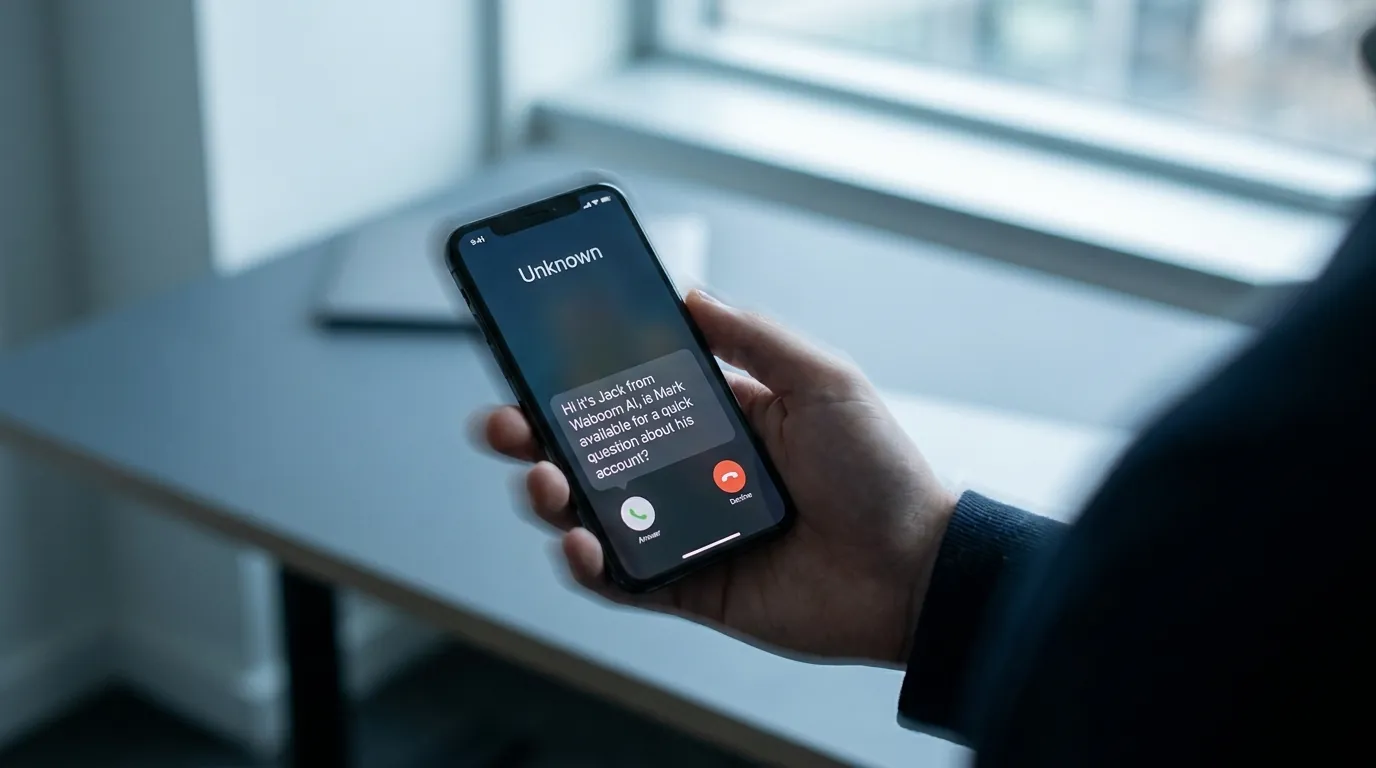
Apple's iOS call screening can ask unknown callers to state their name and the reason for calling before your iPhone even rings. You then see a transcript of what the caller said and decide whether to answer. Apple lists the option as "Ask Reason for Calling" under Screen Unknown Callers in the iPhone Phone settings.
That changes the first ten seconds of an outbound call.
Your AI voice agent isn't just speaking anymore. It's being previewed.
That doesn't kill outbound calling. It kills lazy outbound calling.
The math is brutal. iPhones run 61% of the AU smartphone market and about 46% in NZ. On a Sydney list, two of every three calls now arrive at an iPhone. On an Auckland list, almost half. That's the share of your outbound where a lazy AI agent is offloading its full intro to Apple's screening assistant before the human ever picks up.
We've heard agents run the full three-minute sales pitch to the iOS transcript. The user never answered. The credits got burned anyway.
We've been working through this on real Waboom AI deployments since iOS 26 rolled out. Apple made the opening more important. Here are the three things we changed.
The First Answer
Why shouldn't an AI voice agent treat the first answer as the real person?
If you're running outbound, this is the biggest mistake most AI voice agents make.
Your dialler hears the line connect, so the agent starts talking. With Apple call screening on, the first "answer" isn't the actual person. It's Apple's screening assistant asking who's calling and why.
If the agent fires the full opener then, the intro is wasted. When the human picks up, the agent sounds mid-sentence.
That tiny moment is where weirdness starts. The agent continues from the wrong spot. No proper hello, no clean context, no natural restart. Tension kills your outbound.
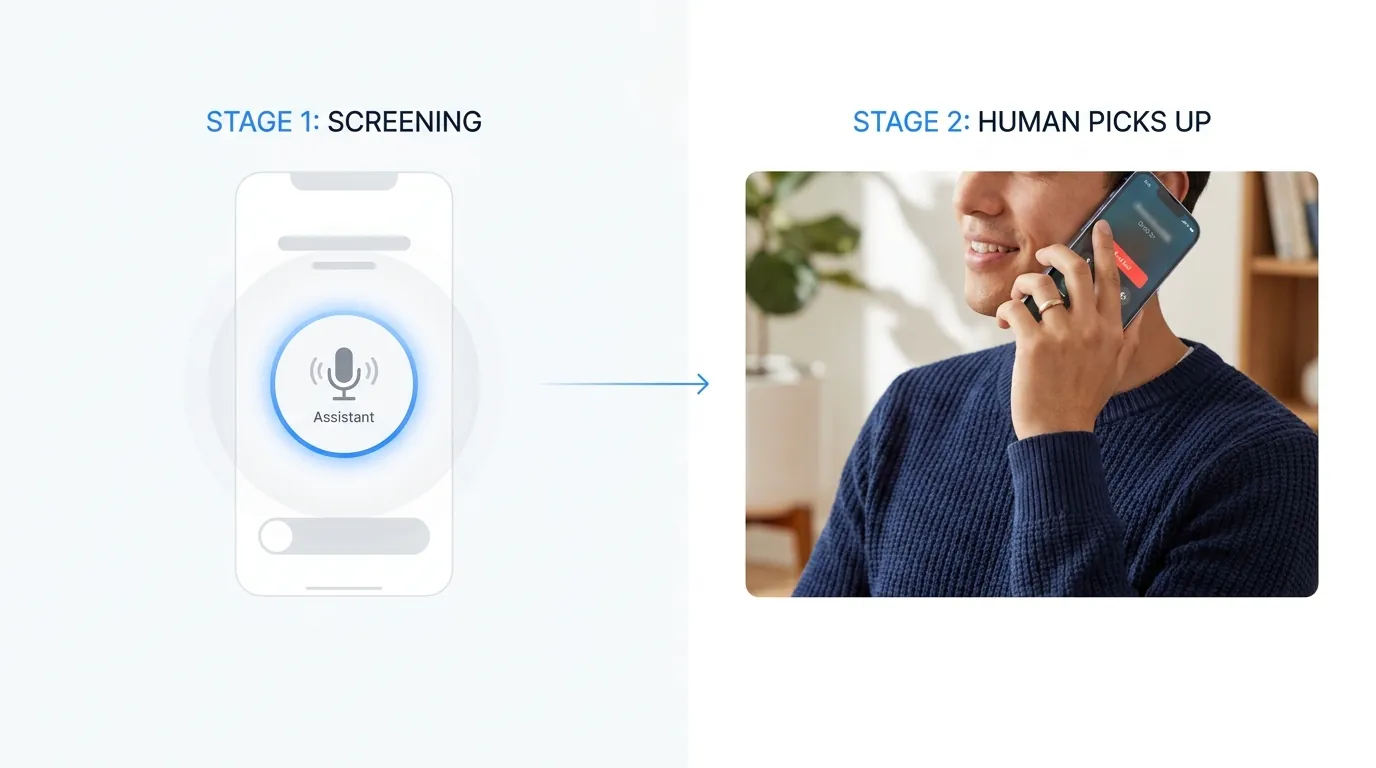
So we changed the call logic. The agent now treats the call as two distinct stages. First, the screening moment. Second, the real human conversation.
A human SDR would never treat a gatekeeper or receptionist as the prospect. The voice agent shouldn't either.
The Screening Message
What makes a good iOS call screening message?
iOS call screening is not the place for your pitch. It's the place for context.
The user is reading a transcript on a lock screen and deciding in two seconds. Who's calling. Which company. Why it matters.
Your goal is not to sell to the screening assistant. Your goal is to give the human enough to think "okay, I'll take it."
Most AI calling campaigns trip here. They say too little (suspicious) or too much (spam in transcript form). The winning move is a clean reason in one sentence:
"Hi, this is Sam from Waboom AI. I'm calling because [name] engaged with the team recently and I wanted to ask one quick follow-up."
It works because it gives identity, company, and a reason that earns the answer. It doesn't try to close your deal through a transcript.
The best screening message is not clever. It's clear.
Our localised NZ-accent voice agent persona uses the same logic. Clarity beats accent.
The Restart
Why must the AI restart the opener when the human picks up?
This is the part that makes your call feel professional.
When the actual person answers after screening, your AI voice agent should not continue from where it left off. It should restart. Just like a good SDR would.
A salesperson rings your office. The receptionist transfers. You pick up. A good salesperson doesn't say "as I was saying". They start again. That's what your AI voice agent needs to do.
Your agent has to know three things. Whether it's a screening assistant. Whether it's a voicemail system. Whether the human has joined.
How we wire the restart into the prompt
We add a dedicated "Opening" branch that only fires once the live human is on the line:
## Opening
If the real caller picks up and is not a voice agent bot, you can commence here:
Say:
"Hi {{name}}, it's Sam calling on behalf of IPP Technologies. You had engaged with the team in the past, and I just wanted to ask a quick question?"
The conditional is the load-bearing part. Without it, the agent fires the opener at the screening assistant. With it, the agent sits quiet through the preview, then opens cleanly when the human joins. No mid-script moment. No tension.
Running outbound AI on iPhone-heavy lists?
We rebuild the screening, opener, and restart logic for every Waboom AI outbound campaign. The same logic that kept Sydney agents at 7.1% warm transfers per real conversation through the iOS 26 rollout. Live in days, not weeks.
The Take
What did Apple call screening actually change?
Apple call screening hasn't made your outbound impossible. It's made bad outbound more obvious. If your agent is vague or spammy, iPhone users ignore it faster. If it can say who's calling, give a reason that earns the answer, and restart cleanly, your call still has a chance.
Our portal data through the iOS 26 rollout shows the campaigns that adopted these three changes held quality. The Sydney dormant database campaign at 141 vendor leads in 90 days kept its 7.1% warm-transfer rate. The Christchurch Meta-lead campaign at 49 viewings in 14 days, NZ$7.12 per booking didn't see booking decay either.
7.1% warm transfers, held through iOS 26
Sydney's dormant database campaign kept its warm-transfer-from-conversation rate after we shipped the Apple call screening behaviour update. Christchurch's NZ$7.12 per booked viewing held too.
Your agent has to know if it's speaking to a real person or a screening assistant. When to restart. When to leave voicemail. When to pause.
That's the difference between an AI voice agent that sounds like a bot and one that converts you a meeting.
The future of your outbound is not louder scripts. It's better call behaviour.
We build voice agents for the real world. They handle Apple call screening, voicemail, gatekeepers, and warm human handoffs.
If yours starts talking the moment the line connects, you'll lose the call. The good ones wait until the human is on.
Frequently Asked Questions
How much has Apple call screening changed AI voice agent pick-up rates?
For lazy agents that fire the full opener at the screening assistant, pick-up quality dropped noticeably. For agents that handle the two-stage structure properly, our portal data through iOS 26 shows conversation and warm-transfer rates holding. Sydney's 7.1% warm-transfer-from-conversation figure didn't move after we rolled out screening-aware behaviour.
What does iOS 26 call screening actually do?
With "Ask Reason for Calling" on, iOS silently answers calls from unsaved numbers. It asks the caller to state their name and reason. Then it shows you a live transcript on your lock screen so you can decide whether to answer.
Apple's own settings page lists this as "Ask Reason for Calling" under Screen Unknown Callers. Your phone doesn't ring until the caller has given a reason.
Should the AI voice agent pretend to be human during screening?
No. Your screening message should identify the company and the reason. Lying gets your number blocked, reported, and DNC'd fast. Sit inside the AU telemarketing rules and the equivalent NZ rules, give a clean identifier, and let the reason do the work.
What's the right script length for a call screening response?
One short sentence. Identity, company, reason. Users decide in two seconds reading the transcript. Over 20 words and they dismiss.
Does this only matter for iPhone users?
Mostly. Android screening exists but isn't as widely turned on. Two-stage handling still applies because office receptionists and PA flows behave the same way. Broader operator playbooks in the voice agent playbooks guide.
How quickly can Waboom AI retrofit an existing voice agent for iOS call screening?
Days, not weeks. We rebuild the opener and add screening-stage logic without changing voice or persona. Deeper CRM bridging may take two to three weeks.
Want your AI voice agent to handle iOS call screening properly?
We design AI voice agents that do more than talk. They handle iPhone screening, voicemail, gatekeepers, and real human pick-ups, then restart cleanly so the conversation feels right.
See how Waboom's AI sales agent runs outbound calls end to end.
Leonardo Garcia-Curtis
Founder & CEO at Waboom AI. Building voice AI agents that convert.
Ready to Build Your AI Voice Agent?
Let's discuss how Waboom AI can help automate your customer conversations.
Book a Free Demo