8 min read · Operator-level pattern · Last updated 13 May 2026
Part of Learn Claude Code: The Complete Operator's Guide. For the operator's overview of Skills, Connectors, Cowork, and Artifacts, start there.
Most people ship a skill, use it for a month, and the skill stays the same.
The output gets better only when you remember to fix it. Which is almost never.
Karol Zieminski borrowed an idea from Andrej Karpathy's training loops and applied it to Cowork. The skill itself iterates. Every week it critiques its own output and updates its instructions. The version you ship in month six is genuinely better than the version you shipped in week one, and you did not touch it.
This is how you build one.
What a Karpathy Loop actually is
In machine learning, Karpathy's iterative loop is a discipline. You build a baseline, evaluate it carefully, then identify the single biggest failure mode and fix that one thing. Repeat forever, and it compounds.
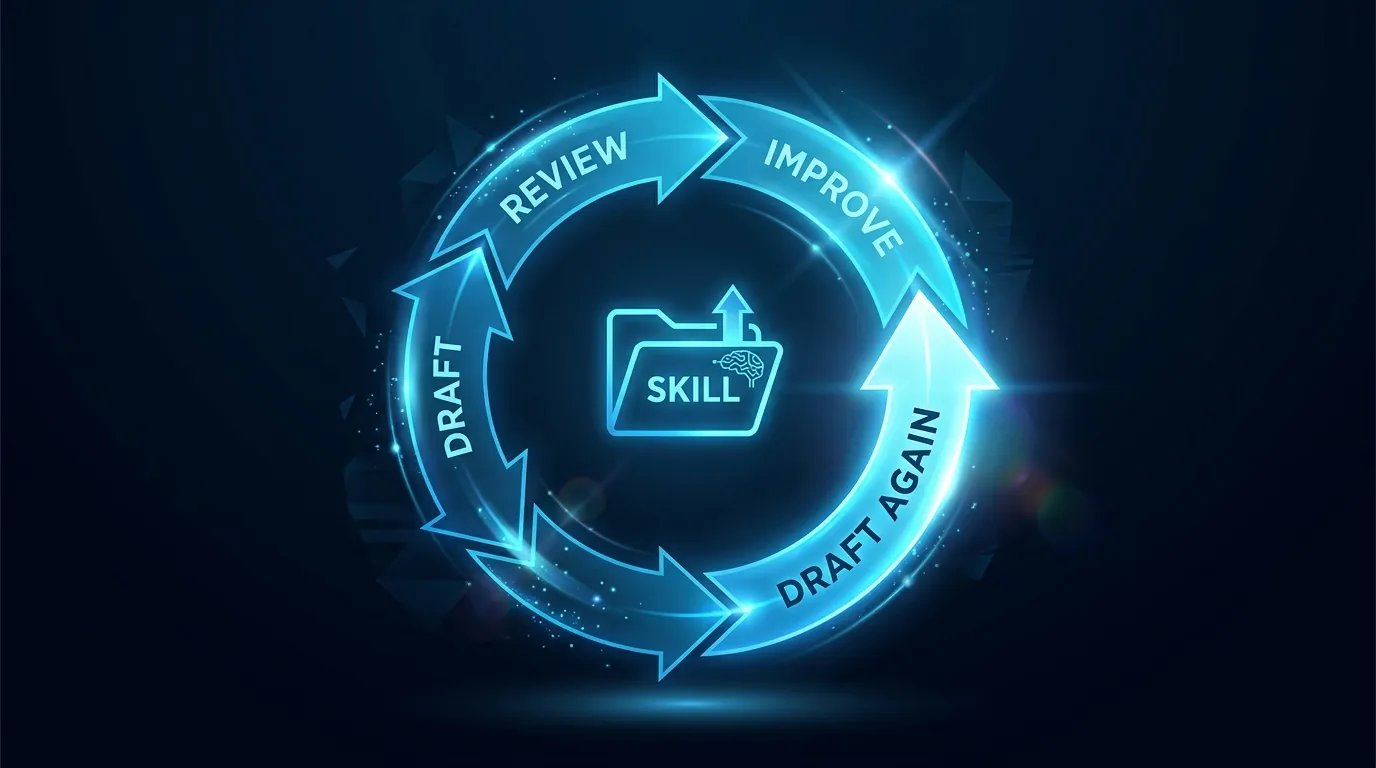
Applied to a Claude skill you run, the loop has four moving parts:
The loop runs weekly: the producer writes, then the critic scores.
If the score is below threshold on a specific criterion, the loop updates the producer's instructions to address that one criterion. Change log written. Next week the producer is slightly better.
Why it works
Three things compound at once for you.
First, the critic stays calibrated. It is reading the same rubric every week, so its scoring is consistent.
Second, the producer never drifts off the criteria. Every cycle, the instructions get refined toward what the criteria reward.
Third, you stay informed. The change log every week is a 30-second read. You spot when the loop is improving or going in a weird direction.
It is the same pattern good editors use on writers. The skill gets edited by another skill, on a schedule, against rules you defined.
The four-part setup
Part 1: Build the producer skill normally
Use the Module 4 walkthrough in Skills 101. Build the skill that does the work you actually want done. Get it to v1.
For our example we will use a blog-post writer skill called blog-writer.
Part 2: Build a critic skill
This is the new piece. The critic skill's only job is to score output against your rubric.
In Claude Desktop, hit the + next to Skills, pick Create skill, then Write skill instructions. The dialog gives you three fields: name, description, instructions. Fill them in for the critic.
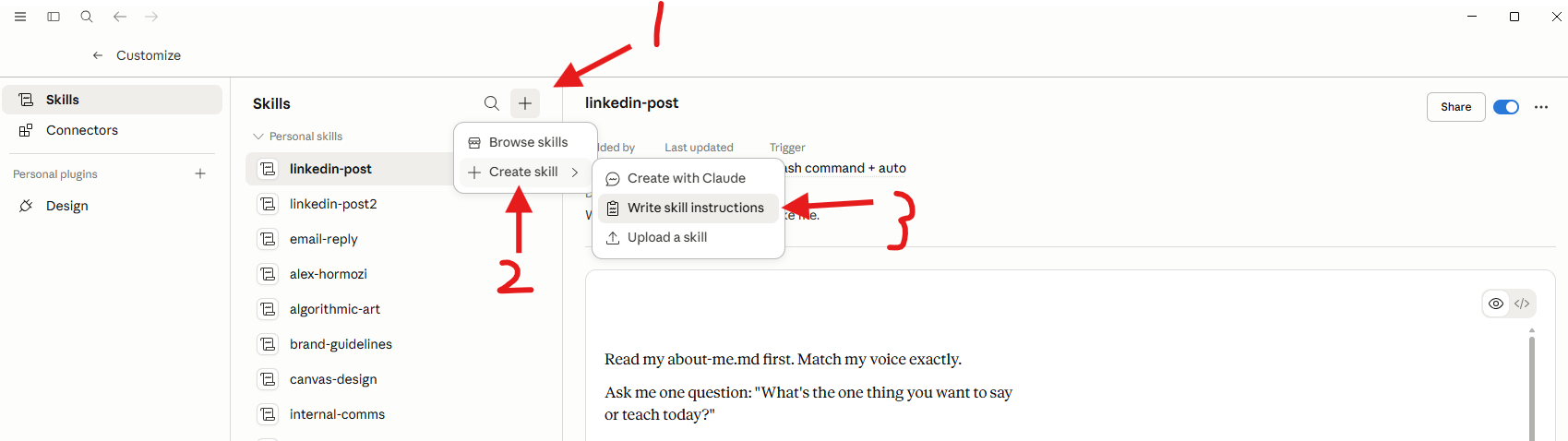
The critic skill instructions look like this:
You are a critic skill for blog posts. Read the post theproducer wrote. Score it 1-5 on each of these criteria:
1. Voice match: does it sound like Leo?
2. Phrase ban: any corporate filler, buzzwords,
stiff connectors, em-dashes, en-dashes?
3. Call to action: does it end with a workshop CTA?
4. Internal links: are there at least 3 real internal links
to existing pages?
5. Structure: bold sub-headers on their own line, short
paragraphs, no walls of text?
For each criterion below 4, write one sentence of specific
feedback. Output as JSON.
Sharp criteria are everything. "Better tone" is useless, but "does it use a banned buzzword" is testable.
Part 3: Schedule the loop in Cowork
In Cowork, schedule a weekly task. Something like Sunday at 8pm.
Take the three blog posts the blog-writer skill produced thisweek from the "Blog drafts" Notion database. For each, invoke
the critic-blog skill to score it. Identify the criterion with
the lowest aggregate score across the three posts. Update the
blog-writer skill's instructions to specifically address that
criterion. Write what-changed.md noting which criterion scored
lowest and what change was made.
That is the loop. The critic looks at last week's work, finds the weakest pattern, updates the producer to fix it.
Part 4: Read the change log every week
This is the discipline that keeps your loop honest.
Open the change log every Monday. It takes 30 seconds and three questions:
If anything looks off, intervene. The loop is a junior teammate, not a god, and you are still the lead.
Where this breaks
Soft criteria. "Tone is better" is not measurable. The loop cannot improve against it. Every criterion in your rubric must be checkable in one read.
Twenty criteria is overkill. Five is sharp, twenty is noise. The loop will jitter between trying to improve everything and fix nothing.
Critic too lenient. If the critic scores everything 4-5, no improvement signal. Calibrate the critic on a deliberately bad draft and a deliberately good one. Make sure the score range is wide.
No human in the read. The change log is what keeps the loop accountable. Skip it for a month and you stop knowing what your producer skill is doing.
What we use this for at Waboom AI
If you want to see a Karpathy Loop running live on real client work, we demo it at our Claude Code course. Watching a skill rewrite its own instructions on a Sunday night is the moment most operators stop treating Claude as a chat tool.
Our voice-DNA enforcer skill runs a Karpathy Loop weekly. Every weekend it reads the week's blog drafts, scores them against our voice rules, and tightens the rules where the drafts drifted.
Six months in, the skill catches things we did not even know to flag in week one. Em-dashes hidden in image alt-text, three-adjective fanfare, the I-magine-this opener.
The original v1 of that skill had nine rules. The current version has 28. We wrote nine of them. The loop wrote the other 19.
What to do next
You need v1 of a producer skill before you build a loop. Do Skills 101 first if you have not.
Then pick the work you do most often, build a producer, build a critic, schedule the loop. By month three you will feel the compounding.
Credit: this post adapts Karol Zieminski's original Karpathy Loop write-up. We strongly recommend reading the source for additional context.
Frequently asked questions
What is a Karpathy Loop in Claude?
It is a pattern where a skill improves itself. Every cycle it critiques its own output and updates its own instructions. The version running in month six is better than the one you shipped in week one, and you never touched it.
The name comes from Andrej Karpathy's iterative training loops. Karol Zieminski applied the idea to Cowork.
What are the four parts of a Karpathy Loop?
The producer skill, which does the actual work. The critic skill, whose only job is scoring the producer's output. The evaluation criteria, a short rubric the critic scores against. And the change log, a file recording what changed each cycle.
How does the loop actually run?
Weekly. The producer writes, the critic scores. If the score falls below threshold on one criterion, the loop updates the producer's instructions to address it. Then it writes the change log.
One failure mode fixed per cycle. That is the discipline borrowed from the original training loop.
Why does it work?
Three things compound at once. The critic stays calibrated because it reads the same rubric every week. The producer never drifts, because each cycle refines toward what the criteria reward.
And the change log means you can always see what moved, then roll it back.
Do I need this for my first skill?
No. This is an operator-level pattern for skills you already run regularly. Build a working skill first, run it for a while, then add the loop once you know what good output looks like.
Self-paced
Build your first skill before you build a loop. Six short modules, one hour, free.
Start Claude Skills 101 →Hands-on with us
Live workshop covers loops, critics, and the change-log discipline live. You leave with a producer + critic running on your real work.
See the workshop →We run hands-on AI training for teams across NZ and Australia.
Leonardo Garcia-Curtis
Founder & CEO at Waboom AI. Building voice AI agents that convert.
Want your team to actually use these tools?
Waboom AI runs hands-on AI training and Claude workshops for teams across New Zealand and Australia.
Explore AI Team Training