A voice agent that just chats is a phone-line chatbot. Useful for FAQs, useless for everything else.
A voice agent that captures the urgency in a homeowner's voice, drops a tagged emergency job into your job-management system, sends an SMS to the on-call tech with the issue already typed, books the routine appointments straight into your calendar, and warm-transfers anything off-script to a human is something completely different. That is the agent stopping calls from being missed and turning the ones it answers into actual usable work.
The thing that makes the difference is functions. And the thing that makes a great agent versus an okay one is extract variables.
What a function actually is
A function is a callable action that the agent can fire during a conversation. The agent decides when to call it, fills in the parameters from the conversation, and the platform runs the function in the real world.
A simple example: bookAppointment.
bookAppointment({service: "consultation",
time: "2026-05-08T14:00:00+12:00",
customerName: "Sarah Chen",
contactNumber: "+64 21 123 4567"
})
The agent talks the caller through the booking, collects the details, and at the right moment calls the function. The function creates the calendar event in Google Calendar (or Outlook, Halaxy, Cliniko, your scheduling tool of choice). The caller hears "I have booked you in for 2pm on the 8th of May. You will get a text confirmation."
That is the agent doing the booking. Not asking a human to do it. Not leaving a note. Doing it.
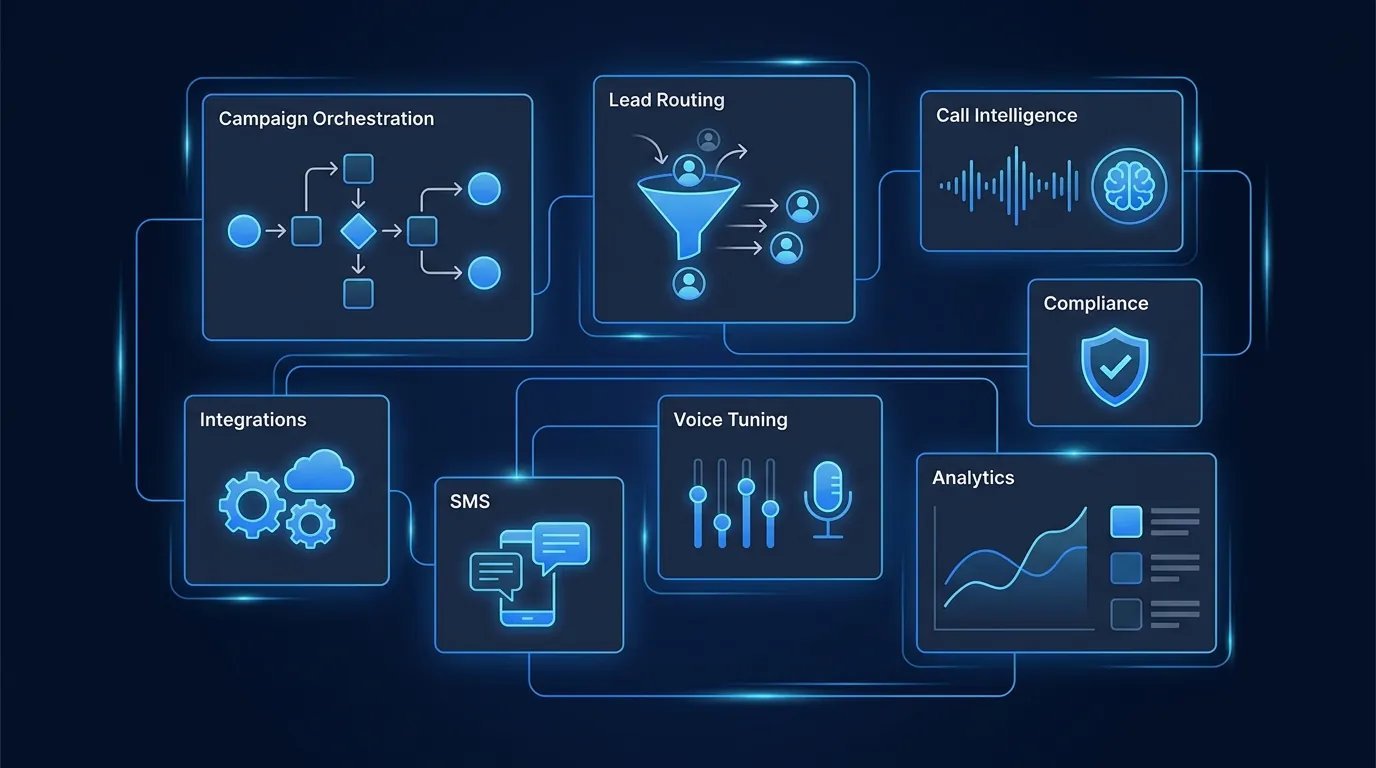
The functions every Waboom agent ships with
Out of the box, every agent has access to a starter set:
Every one of these calls into your stack. CRM choice, calendar choice, SMS provider, all configurable. We support HubSpot, Pipedrive, Salesforce, Google Calendar, Outlook, Calendly, Cliniko, Halaxy, MedTech32, BestPractice, and most common AU and NZ tools out of the box.
Custom functions
For most clients, the starter set covers 80% of the value. The other 20% comes from custom functions tied to your business.
A few we have built for clients in 2026:
Custom functions take 30-60 minutes to wire if your data is reachable via API. We do them in week one of any engagement.
The killer one: extract_variable
Functions DO things. Extract variables REMEMBER things. And remembering is what turns a busy ringing phone into a working triage system instead of a missed-call graveyard.
Here is the pattern that wins for our clients.
A homeowner calls a plumber's AI receptionist on a Sunday afternoon. The plumber is at his daughter's birthday. The line never used to be answered, the call used to hit voicemail, and the homeowner used to move down the Google list to the next number.
This time the agent picks up:
"Hi, you have reached AquaFlow Plumbing, how can I help?"
"Hey, my hot water cylinder is leaking, water is running through the kitchen ceiling, we have got the kids here trying to bath."
A normal agent moves into a generic booking flow. A Waboom agent uses extract_variable to capture exactly what just happened:
extract_variable({name: "issue_summary",
value: "hot water cylinder leaking, water through kitchen ceiling, children present"
})
extract_variable({
name: "urgency_level",
value: "emergency"
})
extract_variable({
name: "household_context",
value: "family with young children currently in the home"
})
The agent uses what it just captured immediately, in the same call:
"That sounds urgent, let me sort this fast. With the kids in the house and active water damage, I am marking this as emergency priority. What is the best number for our after-hours plumber to call you back on inside the next 30 minutes?"
The caller hears their own situation reflected. They feel heard. They give the number, and the agent extracts that too:
extract_variable({name: "callback_number",
value: "021 555 0123"
})
Now those four variables travel together. They:
Without extract_variable, the plumber gets a vague "someone called about plumbing, return at 7am Monday" voicemail. With it, the plumber knows the situation before the phone rings, calls back inside 30 minutes prepared with the right parts, and saves the customer.
That is what "never miss a call" actually looks like at the data layer. Picking up the phone is the bare minimum. Capturing what was said, in a structured way, in a form the rest of your business can act on, is the part that turns a ringing phone into actual recovered revenue.
Why this beats a script-only agent
A script-only agent answers, takes a name and number, and ends the call. The team gets a list of "someone phoned" notes Monday morning. The customer who called Sunday at 3pm has already used the next plumber by then.
An extract_variable agent listens, captures the urgent ones into structured fields, escalates them in real time, and routes the routine ones into the booking flow. Same agent, same minute of call, very different outcome for the business.
We have measured the impact. Across our trades, clinics, and property-management clients on inbound, agents using extract_variable on three key fields (issue type, urgency level, callback window) recover 18-31% more revenue compared to agents that just transcribe and forward. The variable capture is what makes the difference between a missed call rescued and a missed call recorded.
What you can extract
Anything you ask, you can capture.
Identity fields. Name, email, mobile, address, company.
Issue fields. What is the problem, when did it start, what they have already tried, photos or video links if they want to send them by text.
Urgency fields. How urgent is it, hard deadline, ideal callback time, after-hours acceptable yes or no.
Qualification fields. Budget range, timeline, decision authority, current setup, who else is involved.
Compliance fields. Opt-in to follow-up, consent to be recorded, preferred contact channel.
Discovery fields. Anything the caller volunteers that helps you serve them better. Kids in the house. Pets that bite. Existing client. Just bought the place. Frequent flyer.
Every variable you extract becomes:
A worked example: a dental practice catching a Saturday call
An inbound call to a dental practice's AI receptionist on a Saturday morning.
Caller: "Hi, I think I have cracked a tooth, can you fit me in today?"
Agent: "I am sorry to hear that. Let me get you sorted. Whereabouts is the pain, is it sharp, dull, throbbing?"
Caller: "Sharp, especially when I bite down. Top right, near the back."
extract_variable("dental_issue", "cracked tooth, top right molar, sharp pain on bite")
extract_variable("urgency", "same-day if possible")
Agent: "Got it, sounds like a same-day priority. Let me check what we have. We have a 2:15pm with Dr Mitchell or a 4pm with Dr Patel. Which works for you?"
Caller: "2:15 please."
extract_variable("appointment_booked", "2:15pm Dr Mitchell, same-day cracked tooth")
The booking drops into the practice management system with the dental_issue field pre-populated. When the patient arrives, Dr Mitchell already knows what is wrong, has the right kit ready, and the patient does not have to re-explain the problem in the chair. The reception desk on Monday sees a clean record of the call rather than a Saturday phone log nobody read.
That is what "never miss a call" looks like at scale. The call is answered. The information is captured. The team is prepared. The customer is served.
Frequently asked questions
How many variables can I extract per call?
Practical limit is 15-20 in a single conversation. Past that the agent has trouble juggling them coherently. Most well-tuned scripts use 5-8.
Do extract_variable values get pushed to my CRM?
Yes. Each variable maps to a field. We wire the mappings during onboarding.
What if the caller does not answer the question?
The variable stores "not provided" or whatever default you define. The agent gracefully moves on rather than getting stuck.
Can the agent change a variable mid-call?
Yes. If the caller updates their answer ("actually our budget is closer to 600k, not 400k"), the variable updates. Latest value wins.
How does this compare to just transcribing the whole call?
Transcription gives you the recording. Extract variables give you structured data. The first is great for review, the second is what you actually use to escalate emergencies in real time, fill CRM and job-management fields, and run analytics. Transcripts alone do not stop a missed call from being missed.
Can it pull data IN from variables and read them aloud?
Yes. If you set issue_summary = "hot water cylinder leak, water damage in kitchen", the agent can later say "I am marking that hot water cylinder leak with active kitchen damage as emergency priority" by reading the variable straight into its response.
Does it work for emotional fields, not just factual ones?
Yes. The variable can be a sentiment summary. We extract things like "tone_during_objection" and "comfort_level_with_AI" on certain campaigns to inform follow-up routing.
Where do I see this in the portal?
Inside each agent: Functions tab for the function library, Script tab for variable references in your prompt. Custom functions are added by us during onboarding or week one.
Want to see this on your inbound calls?
Bring your three most-asked questions on inbound and your top three urgency triggers. We will wire them as variables into a live agent and have you hearing the agent capture, escalate, and route inside the same week.
Book a strategy call · AI Receptionist NZ · Intelligent pathing
See how Waboom's AI sales agent runs outbound calls end to end.
Leonardo Garcia-Curtis
Founder & CEO at Waboom AI. Building voice AI agents that convert.
Ready to Build Your AI Voice Agent?
Let's discuss how Waboom AI can help automate your customer conversations.
Book a Free Demo