The Frontend Design Skill
Unlock professional UI aesthetics with one plugin install.
Why This Matters
By default, Claude builds functional but "generic" layouts. Clean, yes. But not distinctive.
The frontend-design skill changes everything. It teaches Claude to think like a professional UI designer — choosing specific aesthetics, custom typography, distinctive color palettes, and scroll-triggered animations.
The difference: Your landing page goes from "looks like a template" to "looks like a designer built it."
How to Install
To get the official frontend-design skill, run these two commands in Claude Code.
These commands work the same on Mac, Windows, and Linux — they run inside Claude Code, not your terminal.
Step 1: Add the Marketplace
/plugin marketplace add anthropics/claude-code
Step 2: Install the Plugin
/plugin install frontend-design@claude-code-plugins
That's it. Two commands. The skill is now active.
How It Works
Once installed, you don't typically need to type a specific command to trigger it.
Claude will automatically detect when you're asking for UI work and activate the skill. It overrides Claude's default tendency to build "generic" layouts and instead:
- Selects a specific aesthetic (e.g., Brutalist, Luxury, or Retro-futuristic) before coding
- Uses distinctive typography and custom color palettes
- Implements orchestrated motion and scroll-triggered interactions
- Creates visual hierarchy that guides the eye
Pro Tip: If you want to force the skill for a specific task, you can explicitly prompt: "Redesign this dashboard using the frontend-design skill with a maximalist aesthetic."
Aesthetic Options
The skill supports multiple design aesthetics. Try asking for:
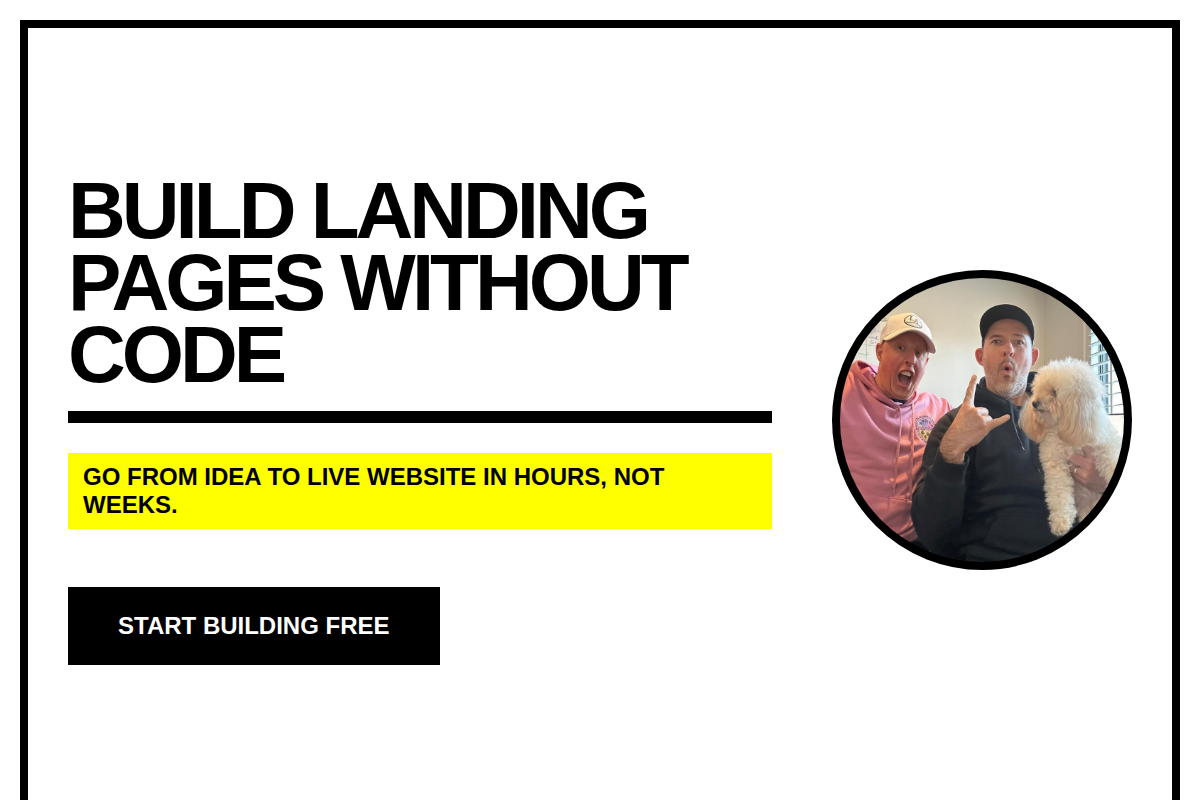
1. Brutalist
Raw, bold, unapologetic. Heavy typography, stark contrasts, no decoration.
"Redesign my hero section with a brutalist aesthetic"
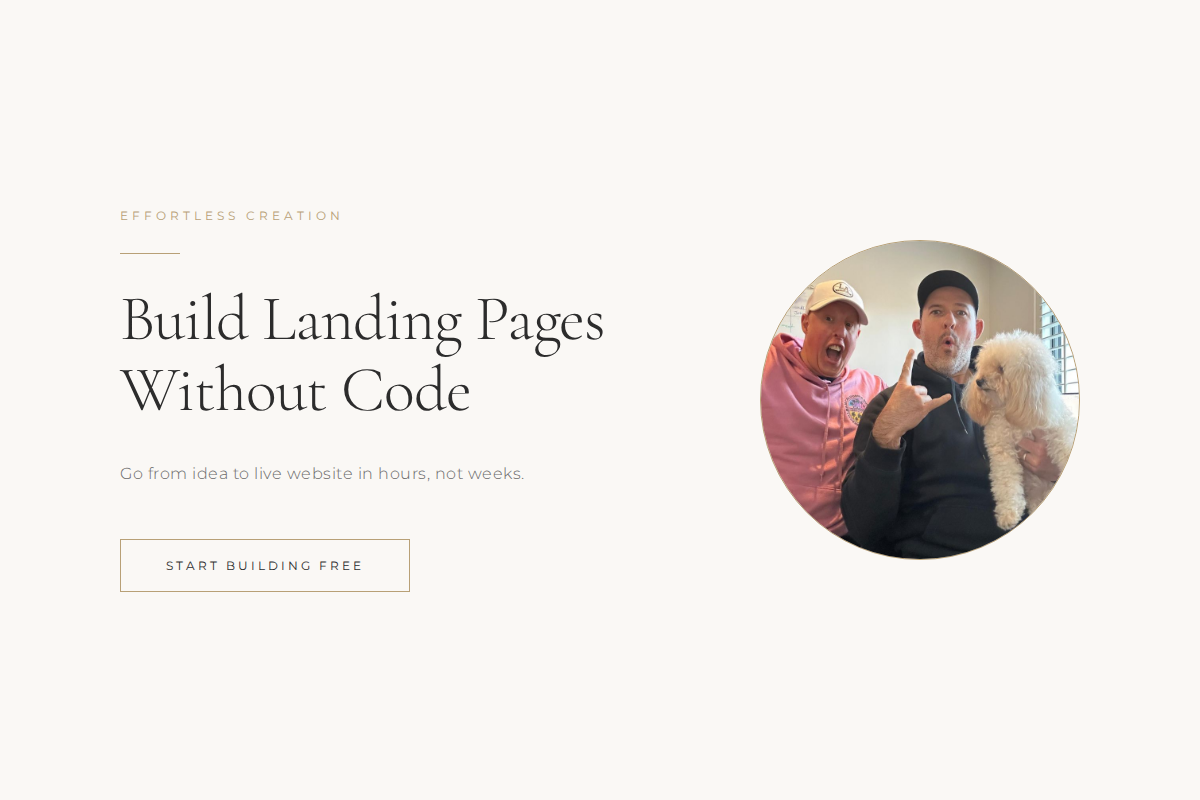
2. Luxury
Elegant, refined, premium feel. Sophisticated typography, muted colors, generous whitespace.
"Make my landing page feel luxury and high end"
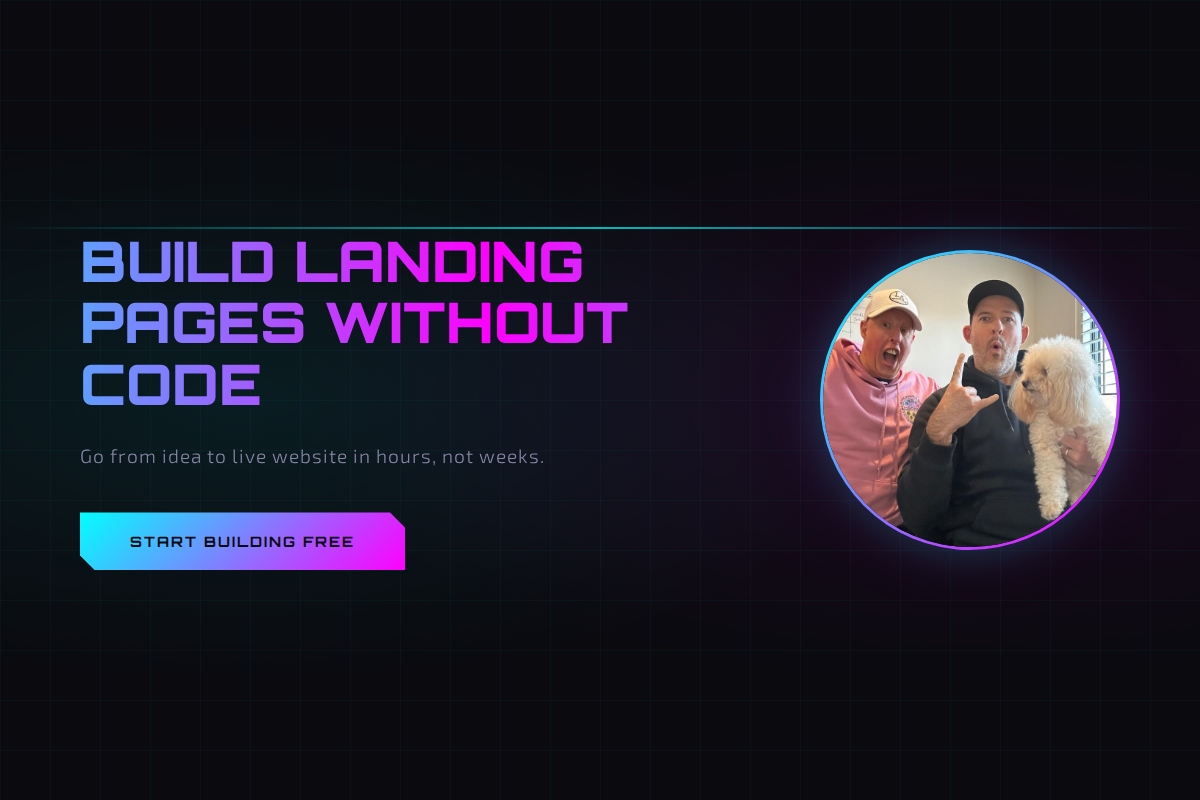
3. Retro Futuristic
Nostalgic meets cutting edge. Neon accents, gradients, tech forward but warm.
"Give this a retro futuristic vibe"
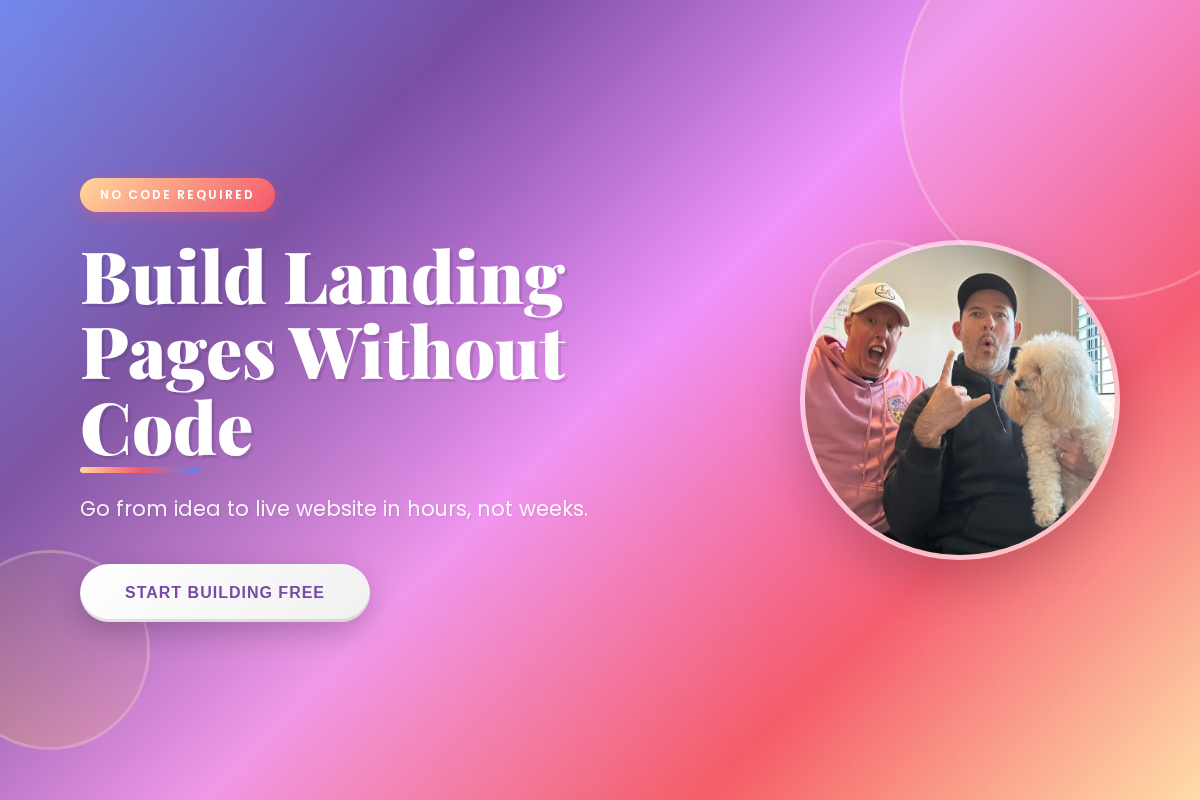
4. Maximalist
More is more. Rich textures, layered elements, bold colors, visual abundance.
"Go maximalist on the design, I want it to feel rich and layered"
5. Minimalist
Less is more. Clean lines, lots of whitespace, focus on content.
"Strip this back to a clean minimalist design"
Try It Now
Let's apply the frontend-design skill to your landing page:
Using the frontend-design skill, redesign my landing page with a modern luxury aesthetic.

I want:
- Sophisticated typography with good hierarchy
- A refined color palette (think premium, not flashy)
- Subtle animations on scroll
- Professional spacing and visual rhythm

Keep all my existing content, just elevate the design.
Watch Claude transform your page. It won't just change colors — it'll rethink the entire visual approach.
What You've Achieved
Your landing page now has:
- ✅ A distinctive aesthetic (not generic)
- ✅ Professional typography and color palette
- ✅ Scroll-triggered animations
- ✅ Mobile-responsive design
- ✅ Visual hierarchy that guides visitors
Next up: Deploy it live so the world can see it.